
|
Do it yourself
| |||
| ||||


How to set the time on the Iveco Daily
Model: IVECO Daily
MK 4
- Years 2006-2020
The following steps will show us how to change the time on the display of the instrument panel of the Iveco Daily. First of all, we get on board the vehicle and start the instrument panel by turning the key to position one; then we press the set button next to the four arrows button to enter the settings menu of the onboard computer, as shown in the video. At this point, we scroll through the options with the arrow keys until we reach the clock setting; we then adjust it, and finally exit the settings to save the changes made!
Posted on 14 October 2024 by ScegliAuto
Video tutorial
Related tutorials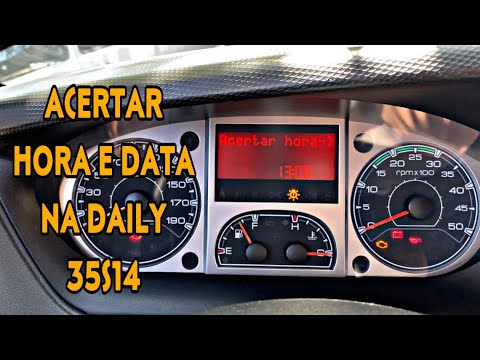
IVECO Daily
This is how the date and time are set on the Iveco Daily. First, press the mode button on the keypad to the left of the steering wheel and then use t…

IVECO Daily
(2014-2024 /
MK 5)
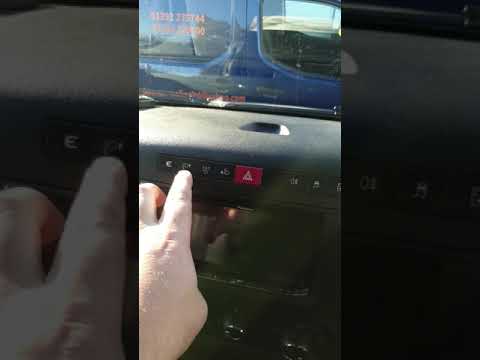
In order to set the clock of the Iveco Daily, you need to turn on the instrument panel so that you can use the buttons located below the screen in th…
IVECO Daily
(2014-2024 /
MK 5)
Today, in this video tutorial, we will see the guide that will allow us to change the date and time of the Iveco Daily. First, we get on board the ve…
Other guides you may be interested in
|
How to Remove the Original Radio from a Renault Trafic
How to remove the original radio from a Renault Trafic? Follow this video closely to perform the removal: use the original or aftermarket metal keys to detach the stereo, insert the keys into the holes on the plastic cover of the stereo, pull the stereo towards you as shown in the video, and extract the radio while being careful of the various wiring (disconnect the power connectors and the antenna cable). Finally, reinstall the original radio or a generic brand with the appropriate adapter for the input and connector. by ScegliAuto More videos
|
|
For advertising on this site Write to info@scegliauto.com
ScegliAuto is not responsible for any inaccuracy of the data in the lists. To report any inaccuracy or your business (if you own the business in question), please write to info@scegliauto.com
Number of seconds to generate the page: 0.169
(c) ScegliAuto 2026 - info@scegliauto.com - Privacy policy VAT number: IT01247470535 |
