
|
Do it yourself
| |||
| ||||


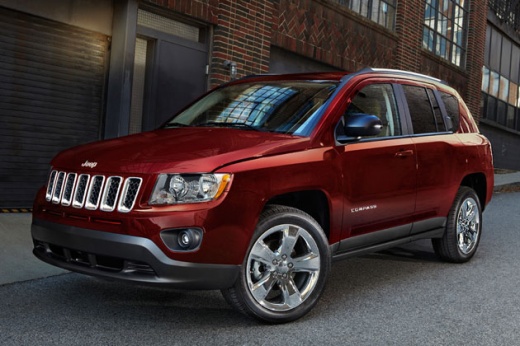
How to Reset the Tyre Warning Light on a Jeep Compass?
Model: Jeep Compass
MK 49, MK 1
- Years:
2006, 2007, 2008, 2009, 2010, 2011, 2012, 2013, 2014, 2015, 2016
Video tutorial
For clarity, it is important to specify that this video guide, as highlighted by the presenter, is applicable to both the Jeep Renegade and the Jeep Compass. As is easy to understand, the mentioned warning light illuminates when there is an issue with the tyres, such as deflation or punctures, so first check what the damage is and then proceed with the repair. This is the solution for cancelling the warning light: simply restore the tyre pressure to the normal value, and the reset will occur automatically and instantly; no further action is needed.
Updated on 25 October 2026 by ScegliAuto
Related tutorials
Jeep Compass
(2016-2025 /
552, MK 2)
To reset the tyre pressure warning light on the Jeep Compass, turn on the instrument cluster and identify the tyre with insufficient pressure: at thi…

Jeep Compass
(2016-2025 /
552, MK 2)
Follow the main steps to reset the tyre pressure warning light on the Jeep Compass. Before starting the operation, ensure all four tyres are at the c…

Jeep Compass
(2016-2025 /
552, MK 2)
To reset the tyre pressure warning light on the Jeep Compass, first inflate the tyres to the correct pressure, as indicated on the sticker attached t…
Other guides you may be interested in |
How to open the bonnet on a Volkswagen Golf?
In this tutorial, you will see how to open the bonnet on a Volkswagen Golf MK4. This is a very simple operation that follows the standard procedure. First, open the driver's door, then locate the lever in the lower left area and pull it. Next, move to the front of the vehicle, lift the bonnet slightly, and find the second lever located just above the Volkswagen logo. At this point, simply pull it towards you, fully open the bonnet, and secure it with the prop rod. To close it, gently push it down. by ScegliAuto More videos
|
|
For advertising on this site Write to info@scegliauto.com
ScegliAuto is not responsible for any inaccuracy of the data in the lists. To report any inaccuracy or your business (if you own the business in question), please write to info@scegliauto.com
Number of seconds to generate the page: 0.009
(c) ScegliAuto 2026 - info@scegliauto.com - Privacy policy VAT number: IT01247470535 |
