
|
Do it yourself
| |||
| ||||


|
Model: Kawasaki Vulcan Vn900b
Before you can start, lift the rear side of your Kawasaki Vulcan. Begin by removing the drive belt covers, unscrewing the fastening screws. Next, unscrew and remove the bolts that secure the rear brake caliper, then move the caliper itself. After that, remove the retaining clip from the pin, then unscrew and remove the pin. At this point, you can extract and remove the rear wheel of your Kawasaki Vulcan, successfully completing the disassembly.
Updated on 14 April 2026 by ScegliAuto
Video tutorial
Related tutorials
Vulcan Vn900b
To remove the front wheel of the Kawasaki Vulcan, use a socket spanner to loosen the nut that secures the central axle. Once the nut is loosened, uns…
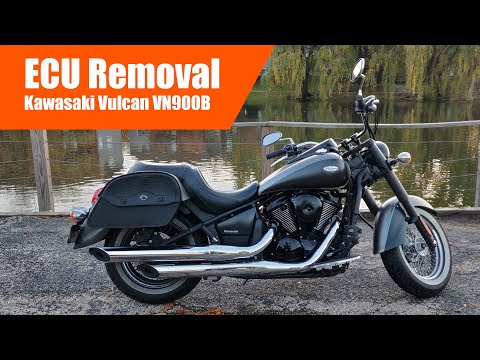
Vulcan Vn900b
In today's tutorial, you will learn how to remove the ECU from a Kawasaki Vulcan VN900B in simple and quick steps. First, remove the seat of your mot…
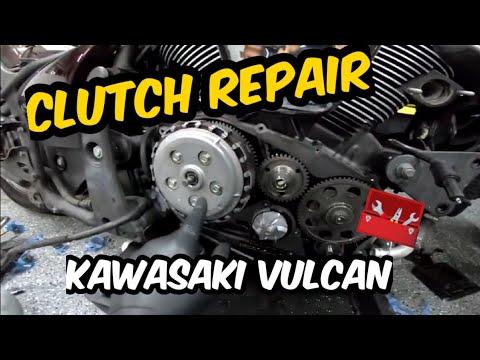
Vulcan Vn900b
To replace the clutch on the Kawasaki Vulcan 900, loosen the screws that secure the chrome cover located at the bottom of the right side of the bike.…
|
How to Access the Battery in the Benelli 180S?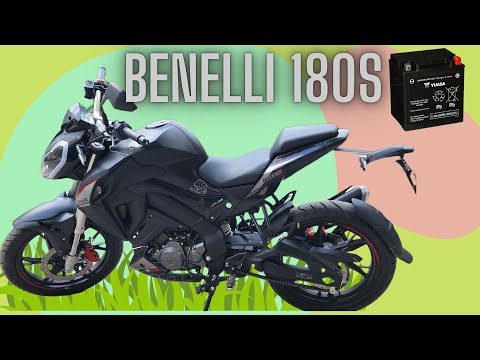
In this tutorial, you will see how to access the battery in the Benelli 180S, a very simple operation useful if you need to recharge or replace it. First, ensure that the key is not inserted, then remove the passenger seat and, using the provided keys, unscrew the two bolts securing the rider's seat. Once removed, unscrew the screws of the upper plastic bracket, disconnect both terminals starting with the negative, and extract the battery from its housing. To install a replacement, simply follow the reverse procedure. by ScegliAuto More videos
|
|
For advertising on this site Write to info@scegliauto.com
ScegliAuto is not responsible for any inaccuracy of the data in the lists. To report any inaccuracy or your business (if you own the business in question), please write to info@scegliauto.com
Number of seconds to generate the page: 0.006
(c) ScegliAuto 2026 - info@scegliauto.com - Privacy policy VAT number: IT01247470535 |
