
|
Do it yourself
| |||
| ||||


Model: Kawasaki Er 5
Today, we will go through step-by-step instructions for removing and replacing the clutch discs on a Kawasaki ER-5. First, place the motorcycle on its centre stand and start by draining the engine oil by unscrewing the drain bolt located under the engine; then, disconnect the clutch cable by unscrewing the adjustment nut. Next, unscrew all the screws from the clutch cover to remove it, using a socket spanner; now unscrew the five screws of the clutch pack and remove the springs, then take out the clutch discs. Follow the video to the end for complete reassembly!
Updated on 3 May 2026 by ScegliAuto
Video tutorial
Related tutorials
Er 5
To replace the air filter of the Kawasaki ER 5, loosen the screws that secure the seat of the motorcycle to its housing: this will allow the seat to …

Er 5
To change the motor oil of a Kawasaki ER 5, start by placing the motorcycle on a center stand to ensure stability. Find the oil drain plug on the eng…

Er 5
This guide shows how to change the oil and oil filter on Kawasaki ER-5 models. First, place the motorcycle on a stand, preferably a motorcycle stand.…
|
How to Change the Engine Oil in the Harley-Davidson Iron 883?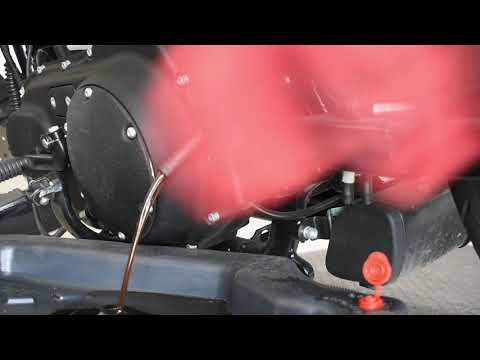
In this tutorial, you will learn how to change the engine oil in the Harley-Davidson Iron 883, a very simple and quick operation to perform every 12 months. First, wait for the engine to cool down, then open the filler cap located on the upper right side, disconnect the drain hose, and remove the plug by loosening the corresponding metal clamp. Once all the oil has drained from the system, replace the plug and proceed with changing the filter, which is located on the front of the engine. Finally, add new oil through the filler hole. by ScegliAuto More videos
|
|
For advertising on this site Write to info@scegliauto.com
ScegliAuto is not responsible for any inaccuracy of the data in the lists. To report any inaccuracy or your business (if you own the business in question), please write to info@scegliauto.com
Number of seconds to generate the page: 0.005
(c) ScegliAuto 2026 - info@scegliauto.com - Privacy policy VAT number: IT01247470535 |
