
|
Do it yourself
| |||
| ||||


How to reset the service in the KIA Stonic?
Model: Kia Stonic
Ybcuv, MK 1
- Years 2017-2026
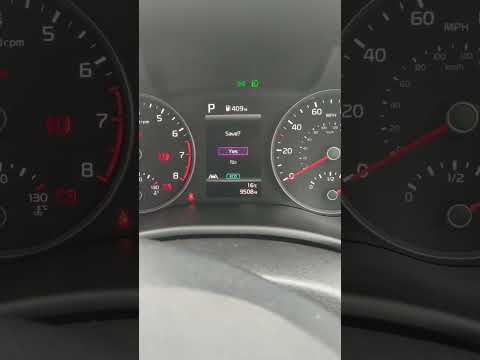
In this tutorial, we can see how to reset the service in the KIA Stonic, an extremely simple and quick operation to be performed only after completing all scheduled maintenance work. Let's start by going inside the cabin, then insert the key and turn on the instrument panel. Next, we scroll through the various tabs on the display using the directional controls on the steering wheel, reach the settings menu, and enter "Service Interval." At this point, all that remains is to set the intervals, if necessary, and perform the reset by selecting the corresponding option.
Posted on 24 January 2026 by ScegliAuto
Video tutorial
Related tutorials
Kia Stonic
(2017-2026 /
Ybcuv, MK 1)
In this tutorial, you will see how to reset the service on the KIA Stonic, a very simple and quick operation to perform only after completing all sch…
Kia Stonic
(2017-2026 /
Ybcuv, MK 1)
Today, follow the steps that will allow you to reset the service light for the routine maintenance oil change on the Kia Stonic. First, get in the ve…

Kia Stonic
(2017-2026 /
Ybcuv, MK 1)
If you own a 2023 Kia Stonic and want to manually reset the service light, all you have to do is carefully read the following guide and follow the in…
Other guides you may be interested in
|
Frequently Asked QuestionsHow to Open the Bonnet on the Lancia Y
To open the bonnet on this vehicle, follow these simple instructions: first, open the driver's door and locate the lever positioned just below the dashboard, marked with an image of the vehicle with the bonnet open. Pull this lever towards you until you hear a "click" indicating the bonnet is released. Next, exit the cabin and stand in front of the bonnet to disengage the safety catch and complete the opening. To do this, slightly lift the bonnet, locate the yellow lever underneath, and pull it to the left to fully release and open the bonnet. by ScegliAuto More videos
|

|
For advertising on this site Write to info@scegliauto.com
ScegliAuto is not responsible for any inaccuracy of the data in the lists. To report any inaccuracy or your business (if you own the business in question), please write to info@scegliauto.com
Number of seconds to generate the page: 0.750
(c) ScegliAuto 2026 - info@scegliauto.com - Privacy policy VAT number: IT01247470535 |
