
|
Do it yourself
| |||
| ||||


How to Open the Panoramic Roof of the Kia EV3?
Model: Kia EV3
- Years:
2024, 2025, 2026
Video tutorial
You can open the panoramic roof of the Kia EV3 by first turning on the instrument cluster, inserting the ignition key into the corresponding slot. Once the cluster is on, use the switch located on the centre console. Lifting it will slightly open the roof; to slide it forward or backward, move the same switch accordingly. Once the adjustment is complete, it is advisable to close the roof before turning off the cluster.
Posted on 18 November 2026 by ScegliAuto
Related tutorials
Kia EV3
(2024-2026 /
MK 1)
If you own a Kia EV3 and want to learn how to factory reset the infotainment system, simply read the following and apply the various steps in the cor…

Kia EV3
(2024-2026 /
MK 1)
The intelligent regeneration system equipped in your Kia EV3 helps preserve battery life automatically while maximising its use in various circumstan…

Kia EV3
(2024-2026 /
MK 1)
The charging socket for the Kia EV3 is located at the front of the vehicle above the front right tyre. After pressing the release button for the flap…
ScegliAuto offers an extensive international collection of automotive tutorials available in 12 languages. Each guide combines instructional videos with original explanations written by experienced human editors, along with information about the car models covered.
Other guides you may be interested in
|
How to find and enter the unlock code for the radio in the Dacia Dokker?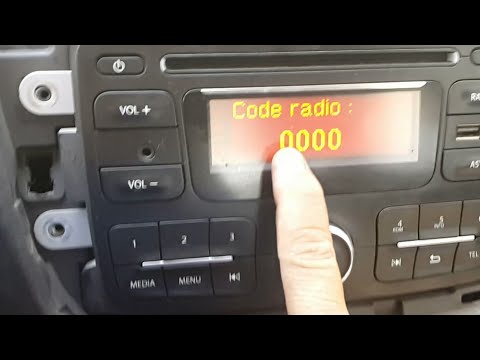
In this tutorial, you will learn how to find and enter the unlock code for the radio in the Dacia Dokker, a very simple operation necessary after replacing the battery. The code is usually found with the various documents provided at purchase, but if lost, it can be retrieved through various online services. These services require the serial number of the radio, which is located on the label on the top side of the unit. Once you have the unlock code, you can turn on the radio and enter it by repeatedly pressing the "1", "2", "3", and "4" buttons, and save the setting with the "6" button. by ScegliAuto More videos
|
|
For advertising on this site Write to info@scegliauto.com
ScegliAuto is not responsible for any inaccuracy of the data in the lists. To report any inaccuracy or your business (if you own the business in question), please write to info@scegliauto.com
Number of seconds to generate the page: 0.079
(c) ScegliAuto 2026 - info@scegliauto.com - Privacy policy - About us VAT number: IT01247470535 |
