
|
Do it yourself
| |||
| ||||


Lancia Delta - Checks and maintenanceChecks And Maintenance Lancia Delta (2008-2014 / mk 3) Lancia Delta (2008-2014 / MK 3)
Replacing the Radiator Fluid on a Lancia Delta Replacing the radiator fluid on a Lancia Delta? Lift the car to access the drain plug for the radiator fluid. Open the radiator hose and drain the rusty fluid …Read all… Posted on 16 April 2026 by ScegliAuto
Lancia Delta (2008-2014 / MK 3)How to Remove the Headlining of a Lancia Delta How do you remove the headlining of a Lancia Delta? Start by removing the side handles of the headlining with a screwdriver, then take off the sun visors and …Read all… Posted on 25 March 2026 by ScegliAuto 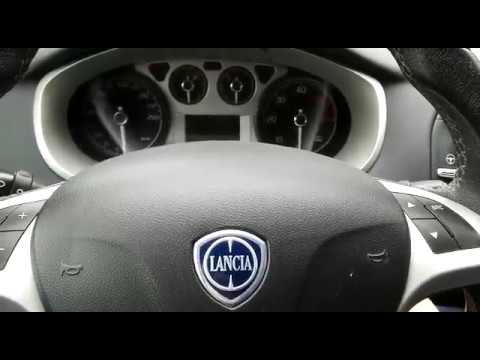 Lancia Delta (2008-2014 / MK 3)
How to deactivate/activate the passenger airbag on Lancia Delta In this video, learn how to deactivate the passenger airbag on the new version of the Lancia Delta. Turn on the instrument cluster with the key. Press the …Read all… Posted on 13 March 2026 by ScegliAuto Airbag (2) Speaker (2) Air conditioning (1) Car stereo (3) Battery (1) Control arm (1) Transmission (2) Spark plugs (1) Body (1) Control unit (1) Key (2) Timing belt (2) Checks and maintenance (3) Dashboard (3) Shifter boot (1) Headlight (2) Tail light (3) Cabin air filter (2) Grille (1) Accessory kit (1) Light bulb (1) Headlight bulb (1) License plate light (1) Handle (2) Trim cover (1) Transmission fluid (1) Engine oil (1) Clock (3) Door trim panel (1) Rear bumper (1) Pump (1) Instrument cluster (2) Radiator (1) Fuse box (7) Seat (2) Door lock (1) Warning light – error code (4) Service warning light (5) EGR valve (1) Steering wheel (1) |
How to Set the Date and Time on the Iveco Daily
Today, we will see in this video tutorial how to change the date and time on the Iveco Daily. First, get into the vehicle and turn on the instrument panel; then go to the vehicle settings on the central display, pressing the relevant option for date and time. At this point, press the "set" button located at the top, using the physical arrow buttons to set both the date and time; finally, exit the onboard computer menu to save the changes made! by ScegliAuto More videos
|
|
For advertising on this site Write to info@scegliauto.com
ScegliAuto is not responsible for any inaccuracy of the data in the lists. To report any inaccuracy or your business (if you own the business in question), please write to info@scegliauto.com
Number of seconds to generate the page: 0.005
(c) ScegliAuto 2026 - info@scegliauto.com - Privacy policy VAT number: IT01247470535 |
