
|
Do it yourself
| |||
| ||||


How to Replace the Battery in a Lexus Remote Key
Model: Lexus Lexus Various
Video tutorial
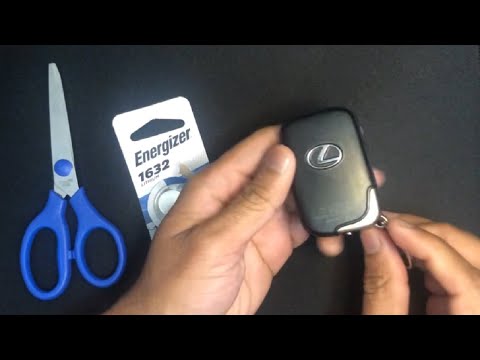
Remove the manual key from the "smart key" by extracting it. Using the same manual key or a small flat screwdriver (any cutting tool will do), open the key casing at its midpoint. Now that the casing is split in two, you can easily slide out the battery and insert the new one you purchased, as shown in the video. Reassemble everything by obviously working in reverse: join the two halves of the key casing simply by pressing firmly and engaging the clips, then insert the manual key into the appropriate slot and you're done. Check that it functions correctly.
Updated on 2 May 2026 by ScegliAuto
Related tutorials
Lexus Lexus Various
In this video tutorial, you can see how to replace the battery in the key fob for a Lexus, as well as for Ford, Kia, and BMW models. The first thing …
Lexus Lexus Various
In this new guide for your Lexus GX460, we will discover how to correctly replace the button battery located inside the smart key. First, pull out th…

Lexus Lexus Various
How do you change the battery of a Lexus car remote control? Assuming that the method is more or less the same for all cars, let's see how to proceed…
Other guides you may be interested in
|
How to Open the Fuel Filler Flap in the Hyundai i30?
In this tutorial, you will learn how to open the fuel filler flap in the Hyundai i30, a very simple operation that follows the typical procedure of most vehicles. First, unlock the locks using the designated button on the remote, then open the driver's door, locate the release lever on the left side of the seat, and operate it. Next, move to the fuel filler flap, open it completely, unscrew the cap, and refuel as needed. To close the flap, simply press it gently. by ScegliAuto More videos
|
|
For advertising on this site Write to info@scegliauto.com
ScegliAuto is not responsible for any inaccuracy of the data in the lists. To report any inaccuracy or your business (if you own the business in question), please write to info@scegliauto.com
Number of seconds to generate the page: 0.101
(c) ScegliAuto 2026 - info@scegliauto.com - Privacy policy VAT number: IT01247470535 |
