
|
Do it yourself
| |||
| ||||


How to reset the service indicator light on the Lexus NX
Model: Lexus NX
Az20, MK 2
- Years 2021-2026
Today we will discover the necessary instructions to reset the maintenance service light for the oil change in the Lexus NX. First, we get into the car and start the instrument panel; then we go to the settings on the central display and scroll until we reach the service option, as shown in the video. At this point, we confirm and reset the service light, resetting the maintenance key and the kilometers before the next service; we turn off the panel and finally start the engine!
Posted on 10 July 2024 by ScegliAuto
Video tutorial
Related tutorials
Lexus NX
(2021-2026 /
Az20, MK 2)
To reset the "Service" light on a Lexus NX, start by turning on the instrument panel without starting the engine, allowing access to the functions of…

Lexus NX
(2014-2021 /
MK 1)
Today's step-by-step instructions will show us how to reset the tire pressure warning light (TPMS) of the Lexus NX; before performing the reset, it i…

Lexus NX
(2021-2026 /
Az20, MK 2)
The section of the instrument panel concerning the tires, about the Lexus Nx 300, can be seen in this video. It shows us how to check if the inflatio…
Other guides you may be interested in
|
How to Replace the Windscreen Wiper Pump on a Fiat Panda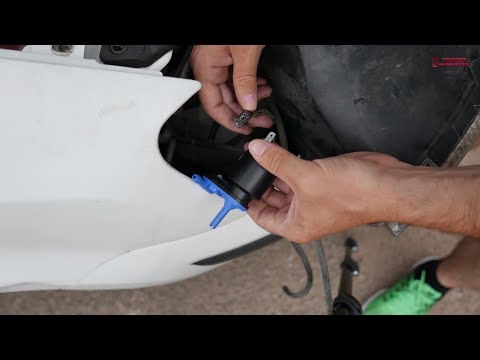
Do you want to remove the faulty windscreen wiper pump? Let's see in this detailed video how to proceed on a Fiat Panda. Start by using a socket to remove the bolts located on the side of the headlamp and on the left wing, and finally unscrew the central grille of the Panda. Pull out the left front headlamp, grasp the wiper pump, and disconnect the water hoses and power cables. Connect the new pump to the various hoses and power cables. Before refitting everything, test the correct operation of the pump. For the assembly operations, proceed in reverse order. by ScegliAuto More videos
|
|
For advertising on this site Write to info@scegliauto.com
ScegliAuto is not responsible for any inaccuracy of the data in the lists. To report any inaccuracy or your business (if you own the business in question), please write to info@scegliauto.com
Number of seconds to generate the page: 0.122
(c) ScegliAuto 2026 - info@scegliauto.com - Privacy policy VAT number: IT01247470535 |
