
|
Do it yourself
| |||
| ||||


How to Repair the Rear Brake on a Malaguti Phantom F12
Model: Malaguti Phantom F12 50
This video is currently unavailable
To repair the rear brake on the Malaguti Phantom F12, you must first remove the exhaust and the rear wheel for easier access to the brake shoes. Next, you will need to remove the brake lever by taking off the securing nut: clean its housing before inserting the new replacement part. Once the housing is clean, you can fit the new lever and connect it to the brake cable that operates the opening and closing of the shoes. Finally, reassemble the wheel and exhaust that were previously removed.
Updated on 20 April 2026 by ScegliAuto
Related tutorials
Phantom F12 50
In this video tutorial, learn how to remove and service the water pump from a Malaguti Phantom F12. First, remove the lower fairing of the scooter ne…
Phantom F12 50
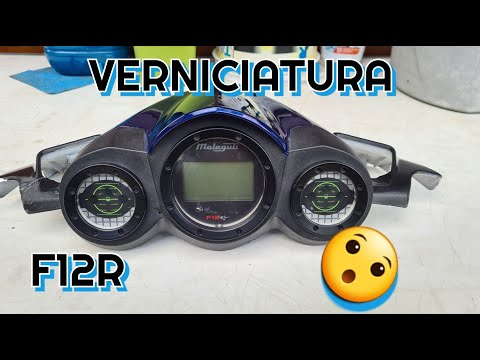
Before starting, position your Malaguti Phantom F12 on the central stand. Begin by unscrewing and removing the lower screws that secure the instrumen…

Phantom F12 50
Good morning, today’s objective is to open the variator cover of our Malaguti Phantom F12. Start by placing the scooter on the centre stand. Next, re…
|
How to Replace the Headlight Bulb on the SYM Bonus 110 Scooter?
As shown in this tutorial, replacing the headlight bulb on the SYM Bonus 110 scooter is a very simple and quick task. Before proceeding, ensure the key is not inserted for safety. Start by removing both mirrors, then unscrew all the screws securing the front fairing and separate it from the handlebars. Finally, disconnect the power connector, unscrew the bulb holder screws, and remove the bulb from the headlight. Fit the replacement bulb, avoiding direct contact with the glass using bare hands. by ScegliAuto More videos
|
|
For advertising on this site Write to info@scegliauto.com
ScegliAuto is not responsible for any inaccuracy of the data in the lists. To report any inaccuracy or your business (if you own the business in question), please write to info@scegliauto.com
Number of seconds to generate the page: 0.005
(c) ScegliAuto 2026 - info@scegliauto.com - Privacy policy VAT number: IT01247470535 |
