
|
Do it yourself
| |||
| ||||


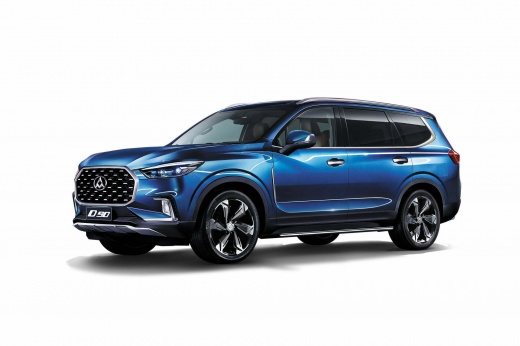
Activate Android Auto on a Maxus D90 via the CP-AA Adapter
Model: Maxus D90
MK 1
- Years:
2017, 2018, 2019, 2020, 2021, 2022, 2023, 2024
Video tutorial
Here’s how to connect your smartphone to the screen of your Maxus D90 using a CP-AA Adapter: it’s a device that allows you, via a USB cable, to connect it once to Android or Apple CarPlay, which will then activate automatically every time you get in the car, as shown in the video. This device is easily found on all major e-commerce platforms at a price of about $99. It is necessary because European standards differ from those of the Chinese manufacturer of the vehicle, and the adapter serves its purpose by acting as a filter between the two systems.
Updated on 11 July 2026 by ScegliAuto
Related tutorials
Maxus D90
(2017-2024 /
MK 1)
In this short and simple guide, you will see the main functions of the infotainment system of the Maxus D90, following the instructions provided belo…
Maxus D90
(2017-2024 /
MK 1)
Unlike other Maxus models, resetting the service light, or maintenance light, on the Maxus D90 is done differently but is not difficult to execute. F…

Maxus D90
(2017-2024 /
MK 1)
The LDV D90 is a large SUV built in China by Saic, one of the largest Chinese manufacturers, also the owner of the Maxus brand. In fact, the LDV D90 …
Other guides you may be interested in |
How to Open the Fuel Filler Flap in the Hyundai i30?
In this tutorial, you will learn how to open the fuel filler flap in the Hyundai i30, a very simple operation that follows the typical procedure of most vehicles. First, unlock the locks using the designated button on the remote, then open the driver's door, locate the release lever on the left side of the seat, and operate it. Next, move to the fuel filler flap, open it completely, unscrew the cap, and refuel as needed. To close the flap, simply press it gently. by ScegliAuto More videos
|
|
For advertising on this site Write to info@scegliauto.com
ScegliAuto is not responsible for any inaccuracy of the data in the lists. To report any inaccuracy or your business (if you own the business in question), please write to info@scegliauto.com
Number of seconds to generate the page: 0.009
(c) ScegliAuto 2026 - info@scegliauto.com - Privacy policy VAT number: IT01247470535 |
