
|
Do it yourself
| |||
| ||||


How to reset the onboard computer in a Mazda?
Model: Mazda Mazda Various
In this tutorial we can see how to reset the onboard computer in a Mazda, an extremely simple and quick operation, to be carried out for example as an attempt to resolve a problem or following the accidental activation of unwanted settings. First of all, go inside the cabin, then insert the key and turn on the instrument panel. Next, reach the general menu on the main display, enter "Settings", scroll through the various tabs, position yourself in "System" and select "Restore All Factory Settings". Confirm the choice at this point and wait for the system to restart.
Posted on 20 November 2024 by ScegliAuto
Video tutorial
Related tutorials
Mazda Mazda Various
Let's talk about the pollution additive, namely Adblue, used in the latest generation diesel vehicles. Its function is to reduce emissions and it aut…

Mazda Mazda Various
Today we will explain how to check the tire pressure on a 2024 Mazda CX 90. For this type of vehicle, it is not necessary to download the "MY MAZDA" …

Mazda Mazda Various
If you want to manually reset the engine oil light of your Mazda CX50 quickly and safely, just follow all the steps described in the following guide …
Other guides you may be interested in
|
How to Replace the Air Filter on a Ford Fiesta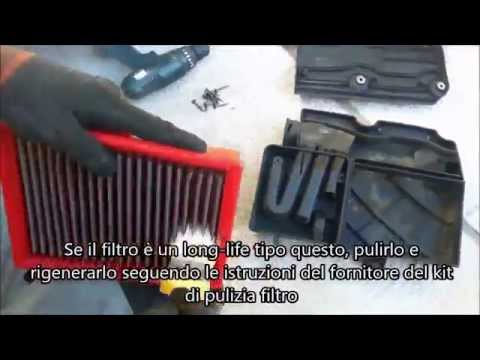
How to replace the engine air filter on a Ford Fiesta? Follow this guide. Open the car door, pull up the engine compartment release lever located at the bottom left of the dashboard, and lift the front bonnet, securing it. Using a screwdriver, undo the soundproofing panel (where the air filter is located), disconnect the engine air intake hose and the metal clip pin. Remove the panel with the air filter box from the vehicle body, then extract the worn air filter and insert a new one, ensuring it fits snugly around the walls of the box. Finally, reassemble the air box panel and tighten the screws. Close the front bonnet. by ScegliAuto More videos
|
|
For advertising on this site Write to info@scegliauto.com
ScegliAuto is not responsible for any inaccuracy of the data in the lists. To report any inaccuracy or your business (if you own the business in question), please write to info@scegliauto.com
Number of seconds to generate the page: 0.101
(c) ScegliAuto 2026 - info@scegliauto.com - Privacy policy VAT number: IT01247470535 |
