
|
Do it yourself
| |||
| ||||


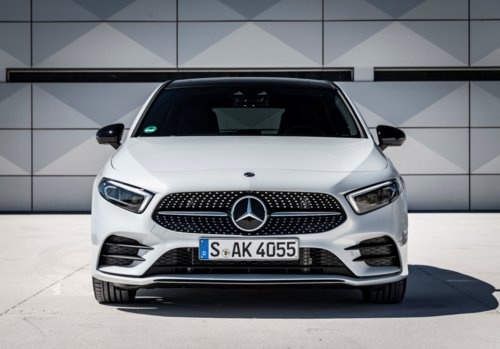
How to Put the Windshield Wipers of a Mercedes A-Class in Service Mode
Model: Mercedes Classe A
W177
- Years:
2018, 2019, 2020, 2021, 2022, 2023, 2024, 2025, 2026
Video tutorial
In this video, you will see how to put the windshield wipers of your Mercedes A-Class (the procedure is the same for all models) in service position to change worn blades or for any type of maintenance needed on the wipers; they cannot be lifted manually because they are blocked by the hood. Turn on the ignition, then turn it off and open the driver's door; press the button located on the stalk of the wiper lever, to the left of the steering wheel, for three seconds: the wipers will automatically lift to a vertical position, allowing you to remove them from the glass. This is also useful if you need to wash the windshield.
Updated on 25 October 2026 by ScegliAuto
Related tutorials
Mercedes Classe A
(2012-2018 /
W176)
Before starting, exit the cabin of your Mercedes A-Class and head to the front hood. Begin by lifting the entire wiper arm, also raising the blade th…

Mercedes Classe A
(2012-2018 /
W176)
In today's video, you will learn how to disable Eco mode in the third generation of the Mercedes-Benz A-Class, specifically the W 176. First, start y…

Mercedes Classe A
(2012-2018 /
W176)
This guide shows how to replace the front windshield wiper blades on the Mercedes Benz A-Class W176. This operation takes only a few seconds and does…
Other guides you may be interested in
|
How to Activate the Disabled TRC on the Toyota Yaris?
As the video clearly shows, disabling or activating the traction control (TRC or ESP) on the Toyota Yaris is very simple. By default, the traction system activates every time the vehicle is started. To disable it, simply press the button depicting a skidding car located in the centre of the vehicle where the controls are, such as the hazard lights and the radio, but near the handbrake. Once disabled, the TRC off light will illuminate on the dashboard. To reactivate it, just press the same button again. by ScegliAuto More videos
|
|
For advertising on this site Write to info@scegliauto.com
ScegliAuto is not responsible for any inaccuracy of the data in the lists. To report any inaccuracy or your business (if you own the business in question), please write to info@scegliauto.com
Number of seconds to generate the page: 0.036
(c) ScegliAuto 2026 - info@scegliauto.com - Privacy policy VAT number: IT01247470535 |
