
|
Do it yourself
| |||
| ||||


I clean the AdBlue injector on a Mercedes C-Class W205.
Model: Mercedes Classe C
W205
- Years 2014-2021
In this video we can see how to disassemble and then clean the AdBlue injector on a Mercedes C-Class w205: to access the injector we need to go under the car, preferably lifting it slightly so we can work on it easily. We will see that the injector is completely blocked by the crystallization of the additive, which has deposited around the nozzle; the same goes for the seat, the threading is completely dirty with that kind of "foam" that has formed around it. We can remove it mechanically with a metal hook, but in a much more practical and clean way using simple hot water, which will perfectly clean the nozzle and seat.
Posted on 10 November 2024 by ScegliAuto
Video tutorial
Related tutorials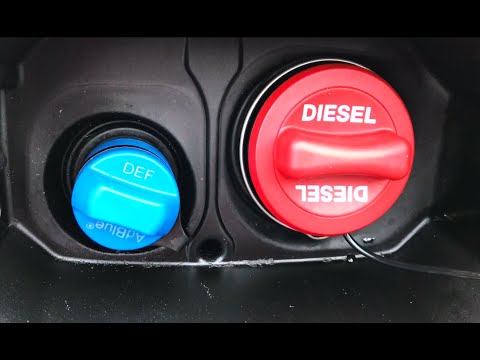
Mercedes Classe C
(2014-2021 /
W205)
In this video tutorial, learn how to refill the AdBlue fluid that helps reduce harmful emissions on the Mercedes C-Class W205, as well as on most mod…
Mercedes Classe C
(2014-2021 /
W205)
In this video, we can see how some latest generation diesel engines, like that of the Mercedes C-Class W205, are equipped with an emissions reduction…

Mercedes Classe C
(2014-2021 /
W205)
Below we will see the main information useful for resetting the AdBlue warning light of the Mercedes C-Class, after refilling with AdBlue fluid. Firs…
Other guides you may be interested in
|
How to Reset the Tyre Pressure Light on the Opel Grandland X
While driving, if you notice the tyre pressure warning light coming on, first check the actual inflation pressure of the tyres and, if necessary, restore the pressures recommended by the manufacturer. After restoring the correct pressures, you need to reset the warning light that has illuminated on the instrument cluster. To do this, locate the reset button on the lower central console. Press this button and hold it down for at least 3 seconds, after which the low pressure indication will turn off. by ScegliAuto More videos
|
|
For advertising on this site Write to info@scegliauto.com
ScegliAuto is not responsible for any inaccuracy of the data in the lists. To report any inaccuracy or your business (if you own the business in question), please write to info@scegliauto.com
Number of seconds to generate the page: 0.066
(c) ScegliAuto 2026 - info@scegliauto.com - Privacy policy VAT number: IT01247470535 |
