
|
Do it yourself
| |||
| ||||


Where is the OBD2 port located on the Mercedes E-Class W211?
Model: Mercedes Classe E
W211
- Years 2002-2009
If you want to independently locate the OBD2 port inside your Mercedes E-Class W211, just read the following guide carefully and follow the steps described. Once inside the vehicle, make sure it is completely turned off, then bend down to shift your attention to the lower area of the dashboard and locate a small protective cover. Next, open it with your own hands and locate the OBD2 port of your Mercedes E-Class W211 in order to successfully complete the procedure.
Posted on 12 August 2025 by ScegliAuto
Video tutorial
Related tutorials
Mercedes Classe E
(2002-2009 /
W211)
.. dedicated to all of you who own a Mercedes E-Class w211 (year 2005), we will show you where the OBD2 port is located, through which you can connect.. …

Mercedes Classe E
(2002-2009 /
W211)
.. the cabin fuse box is located in your Mercedes E-Class W211, don't worry because the following guide describes all the steps you need to follow. First,.. …
Mercedes Classe E
(2002-2009 /
W211)
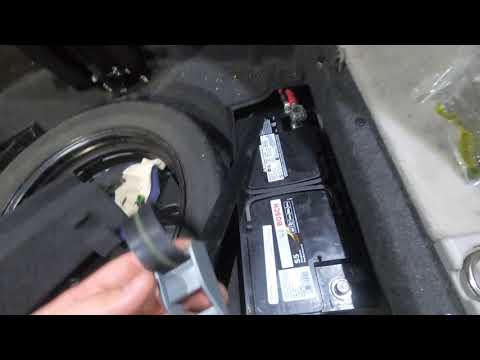
.. where the battery is located in the Mercedes E-Class W211 and how to replace it, a very simple operation. As shown, it is not located in the engine.. …
Other guides you may be interested in
|
How to reset the tire pressure sensor of the Hyundai Tucson
Below we will discover the instructions that will allow us to reset the tire pressure warning light (TPMS) of the Hyundai Tucson. First of all, we get into the car and turn on the instrument panel; then we go to the vehicle settings until we reach the tire pressure monitor, identifying the tire with the incorrect pressure. At this point, we proceed to restore all tire pressures, following the pattern indicated on the label; in this way the TPMS system will be reset and the warning light will be reset by the instrument panel! by ScegliAuto More videos
|
|
For advertising on this site Write to info@scegliauto.com
ScegliAuto is not responsible for any inaccuracy of the data in the lists. To report any inaccuracy or your business (if you own the business in question), please write to info@scegliauto.com
Number of seconds to generate the page: 0.057
(c) ScegliAuto 2026 - info@scegliauto.com - Privacy policy VAT number: IT01247470535 |
