
|
Do it yourself
| |||
| ||||


How to Remove the Rear Seats of a Mercedes Vito W639
Model: Mercedes Vito
W639, MK 2
- Years 2003-2013
Let’s see how to remove the rear bench seat of a Mercedes Vito W639 by yourself (even though it is a heavy seat): on the side of the seat, near the base, identify the levers that control the rear hooks. Pull up the lever located at the front of the locking mechanism. This action lifts a red pin that holds the rear of the leg in place. Repeat for the other legs as well. Now the seat tilts slightly, as the rear part is free. Grasp the seat and push it towards the backrest. Now you can access the front hooks, which can be released upwards. You may need to lift or pull another lever to free the front of the leg from its housing. Now that all legs are free, pull the seat towards you, lift it, and remove it.
Posted on 14 March 2026 by ScegliAuto
Video tutorial
Related tutorials
Mercedes Vito
(2003-2013 /
W639, MK 2)
Fuses, whether for the Mercedes Vito W639 or any other vehicle, are not installed individually but are all collected in fuse boxes. For the vehicle i…
Mercedes Vito
(2003-2013 /
W639, MK 2)
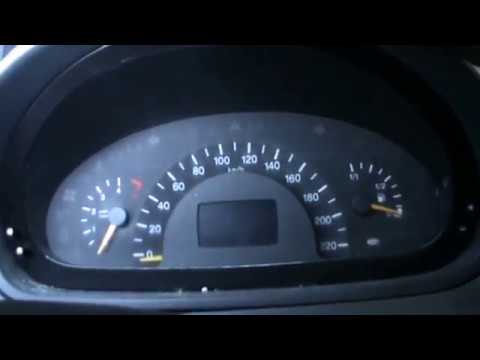
In today's tutorial, you will learn how to remove the instrument cluster from a Mercedes Vito W639 115 CDI. First, disconnect the battery cables (pos…

Mercedes Vito
(2003-2013 /
W639, MK 2)
The fuse boxes, we speak in the plural, of the Mercedes Vito w639, are two and positioned in two different places. We find one in the engine compartm…
Other guides you may be interested in
|
How to Replace the Cabin Filter on the Opel Grandland X
If you own an Opel Grandland X and want to know the steps to replace the cabin air filter, carefully read the following guide and follow the described steps. First, enter the vehicle and go to the passenger side. Then, locate the box containing the air filter in the lower side area of the dashboard. Remove the cover of the box and finally replace the old filter with the new one. Refit the cover, and you are done. by ScegliAuto More videos
|
|
For advertising on this site Write to info@scegliauto.com
ScegliAuto is not responsible for any inaccuracy of the data in the lists. To report any inaccuracy or your business (if you own the business in question), please write to info@scegliauto.com
Number of seconds to generate the page: 0.136
(c) ScegliAuto 2026 - info@scegliauto.com - Privacy policy VAT number: IT01247470535 |
