
|
Do it yourself
| |||
| ||||



How to Reset the Service Light on a Mercedes SLK
Model: Mercedes Slk
MK 3, R172
- Years:
2011, 2012, 2013, 2014, 2015, 2016
Video tutorial
To reset the Service light on a Mercedes SLK, insert the key and turn it to position 1 without starting the engine. Use the buttons on the steering wheel to display the trip computer menu. Press and hold the phone button while simultaneously pressing the OK button within one second; keep both pressed for about 5 seconds until the workshop menu appears. Use the arrows to select ASSYST PLUS and confirm with OK. Turn the key to position 2, confirm the service execution by selecting Yes, choose the specific oil used when prompted, and complete the operation by confirming the reset. Turn off and then on the ignition to verify that the maintenance interval has been reset.
Posted on 13 October 2026 by ScegliAuto
Related tutorials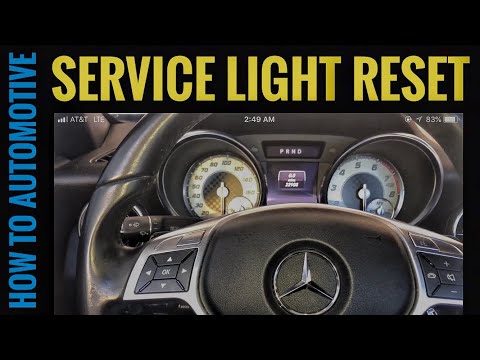
Mercedes Slk
(2011-2016 /
MK 3, R172)
Resetting the service light on a Mercedes SLK, as shown in this tutorial, is an extremely simple and quick operation. Before proceeding, ensure you h…

Mercedes Slk
(2011-2016 /
MK 3, R172)
In this tutorial, you will see how to reset the service on the Mercedes SLK, a very simple and quick operation to perform only after completing all r…

Mercedes Slk
(2004-2011 /
MK 2, R171)
You can clear the Service light from the dashboard of the Mercedes SLK by turning on the dashboard after inserting the appropriate ignition key: then…
Other guides you may be interested in
|
How to Open the Fuel Flap and Cap of the Dacia Duster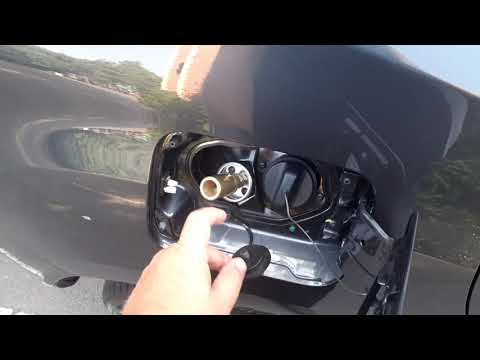
In this guide, you will learn how to open the fuel flap and cap of the Dacia Duster. First, get inside the vehicle on the driver's side and pull the small lever to open the flap located at the bottom; then move to the front of the flap to open it, unscrewing the fuel cap counter-clockwise to refuel, as shown in the video. In this case, the vehicle is equipped with a LPG system, so the appropriate adapter will be screwed on; finally, close the fuel flap after refuelling! by ScegliAuto More videos
|
|
For advertising on this site Write to info@scegliauto.com
ScegliAuto is not responsible for any inaccuracy of the data in the lists. To report any inaccuracy or your business (if you own the business in question), please write to info@scegliauto.com
Number of seconds to generate the page: 0.102
(c) ScegliAuto 2026 - info@scegliauto.com - Privacy policy VAT number: IT01247470535 |
