
|
Do it yourself
| |||
| ||||


How to Update the Becker Navigator on Mercedes W204 C200
Model: Mercedes Mercedes Various
This guide shows how to update the Becker navigator on a Mercedes. First, remove the navigator unit from the glove compartment. At this point, connect it to your computer using a USB cable; for safety, you can copy all files from the device to perform a backup. After downloading the update, simply delete the files: "AutoRun", "device.sig", "device", "device.xmlt", "DeviceInfo" and the folders "MapRegions", "Navi" and "APD". Now, install the files from the update folder with the same names as those deleted, ensuring to set "device.xmlt" and "device" to read-only mode. After inserting an SD card into the Becker, copy the "MapRegions" and "APD" folders from the update; from the backup folder, copy the "Navi" folder to the SD destination. From the "APD" > "Software" folder, delete the file "navcore.apd" and replace it with the same file from the backup folder. In the "Navi" > "licenses" folder, copy the corresponding folder from the update. At this point, the operation is complete.
Updated on 14 April 2026 by ScegliAuto
Video tutorial
Related tutorials
Mercedes Mercedes Various
In this video, you will learn how to add speed cameras to the Mercedes navigation system: you will only need a USB stick to download the speed camera…

Mercedes Mercedes Various
To reset the TPMS warning light, related to tire pressure, on a 2019 Mercedes vehicle, we need to press the menu button on the steering wheel. By pre…
Mercedes Mercedes Various
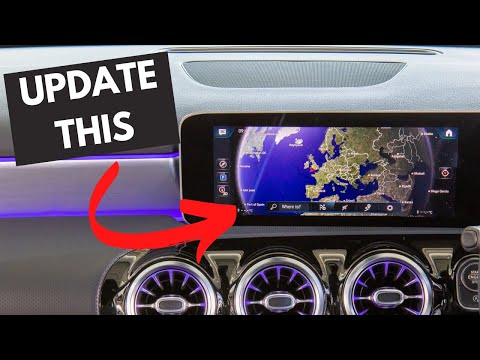
As shown in this tutorial, updating the navigation maps on your Mercedes is very simple. You will need an internet connection, a sufficiently large U…
Other guides you may be interested in
|
How to Replace the Cabin Filter on the Opel Grandland X
If you own an Opel Grandland X and want to know the steps to replace the cabin air filter, carefully read the following guide and follow the described steps. First, enter the vehicle and go to the passenger side. Then, locate the box containing the air filter in the lower side area of the dashboard. Remove the cover of the box and finally replace the old filter with the new one. Refit the cover, and you are done. by ScegliAuto More videos
|
|
For advertising on this site Write to info@scegliauto.com
ScegliAuto is not responsible for any inaccuracy of the data in the lists. To report any inaccuracy or your business (if you own the business in question), please write to info@scegliauto.com
Number of seconds to generate the page: 0.130
(c) ScegliAuto 2026 - info@scegliauto.com - Privacy policy VAT number: IT01247470535 |
