
|
Do it yourself
| |||
| ||||


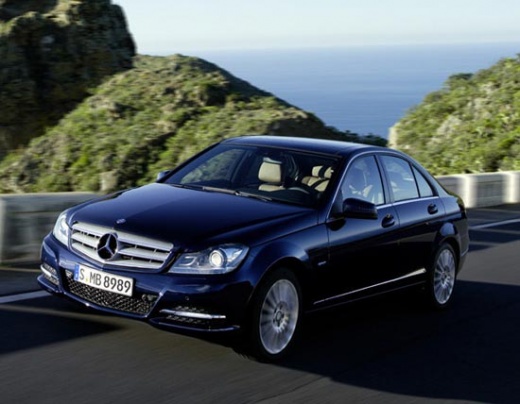
Battery Replacement on Mercedes C-Class W204
Model: Mercedes Classe C
W204
- Years:
2007, 2008, 2009, 2010, 2011, 2012, 2013
Video tutorial
Today, you will see in this video tutorial how to remove and replace the battery on the Mercedes C-Class W204, following the instructions below. First, open the hood of your car and start by removing the plastic cover located at the top left; then use a 10 mm wrench to loosen the nuts on the terminals (positive and negative) to remove them, as shown in the video. At this point, remove the bolts located at the bottom using a socket wrench; take out and replace the battery with a new one of the same amperage!
Updated on 26 April 2026 by ScegliAuto
Related tutorials
Mercedes Classe C
(2007-2013 /
W204)
.. contains all the fuses for your Mercedes-Benz C-Class W204. First, lift the hood of the car to gain access to the engine compartment. Then, locate the.. …

Mercedes Classe C
(2007-2013 /
W204)
.. If the remote control of your Mercedes C-Class W204 suddenly stopped working and you want to replace the battery inside it, then all you have.. …

Mercedes Classe C
(2007-2013 /
W204)
.. If you own a Mercedes-Benz C-Class W204 and are experiencing various issues with the battery, it is likely time to replace it with.. …
Other guides you may be interested in |
Frequently Asked QuestionsHow to Open the Fuel Door of the MG ZS?
To open the fuel door of the MG ZS, access the interior of the vehicle to locate the lever that unlocks the fuel door. This lever is located on the lower left side of the dashboard, near the steering column. Pull the lever to open the fuel door, allowing you to unscrew the cap underneath for refueling. After refueling, replace the fuel cap and securely close the fuel door. by ScegliAuto More videos
|
|
For advertising on this site Write to info@scegliauto.com
ScegliAuto is not responsible for any inaccuracy of the data in the lists. To report any inaccuracy or your business (if you own the business in question), please write to info@scegliauto.com
Number of seconds to generate the page: 0.057
(c) ScegliAuto 2026 - info@scegliauto.com - Privacy policy VAT number: IT01247470535 |
