
|
Do it yourself
| |||
| ||||


Installation of Cigarette Lighter Power Supply for External Sat Nav
Model: Mercedes Clk
A208, W208, C208
- Years 1997-2003
External satellite navigators, which are not integrated with the car's entertainment system but are fixed to the windscreen or dashboard with a support, obviously need to be powered. Generally, the cigarette lighter is used; the video shows a solution that allows you to avoid constantly using the original cigarette lighter (which may be needed to charge your mobile phone) by installing an auxiliary one. Once you have purchased this device, remove the original clamps and attach an eyelet to the earth wire and an in-line fuse holder to the positive wire: this way, you can insert the power supply into the side fuse box, hiding the cable and securing the navigator just behind the steering wheel.
Updated on 15 February 2026 by ScegliAuto
Video tutorial
Related tutorials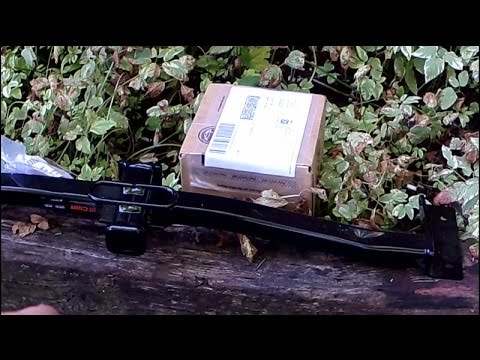
Mercedes Clk
(1997-2003 /
A208, W208, C208)
Installing a tow bar is not generally a DIY task, as it must be homologated (the tow bar comes with a compliance certificate that certifies its speci…

Mercedes Clk
(2002-2010 /
W209, A209, C209)
In the following guide dedicated to those of you who own a Mercedes CLK W209, we will help you find the OBD2 port inside the car in just a few second…

Mercedes Clk
(2002-2010 /
W209, A209, C209)
On the Mercedes CLK, each fuse is located inside one of the appropriate fuse boxes that are present on the vehicle: in this type of vehicle, two boxe…
Other guides you may be interested in
|
How to Open a Stuck Boot on the Peugeot 407?
On the Peugeot 407, the boot may become stuck, possibly due to a problem with the control button or the lock actuator. In such cases, you can perform an emergency opening by following the simple procedure shown in this tutorial. First, open the rear doors, then lower the seat back by operating the release lever. Next, go inside the boot, locate the lock, and manually operate it using a flathead screwdriver. The boot will then be free to open. by ScegliAuto More videos
|
|
For advertising on this site Write to info@scegliauto.com
ScegliAuto is not responsible for any inaccuracy of the data in the lists. To report any inaccuracy or your business (if you own the business in question), please write to info@scegliauto.com
Number of seconds to generate the page: 0.228
(c) ScegliAuto 2026 - info@scegliauto.com - Privacy policy VAT number: IT01247470535 |
