
|
Do it yourself
| |||
| ||||


Replacing Instrument Cluster Display
Model: Mercedes Classe C
W203
- Years 2000-2007
Video tutorial
Detailed instructions - If the display on the instrument cluster is hard to read or the text appears broken, it's likely that some pixels on the display have failed. You can fix this issue quite simply and affordably: there are now aftermarket companies specializing in these components at very reasonable prices. Additionally, installation is straightforward since the flat ribbon cable connects to the electronic circuit board via a dedicated connector and is not soldered. Start by removing the instrument cluster from the dashboard by pressing in the designated slots at the base of the frame. Once extracted, open the rear tabs to separate the front glass from the rear circuit, remove the frame around the display, unlock the connector, and pull out the flat cable. Then, install the new display, attach the flat ribbon cable, and reverse the steps for installation.
Updated on 16 February 2026 by ScegliAuto
Related tutorials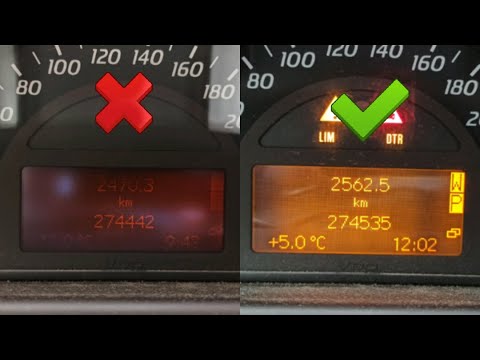
Mercedes Classe C
(2000-2007 /
W203)
In today's tutorial video, you will learn how to disassemble the instrument cluster and replace the LCD display on the Mercedes C-Class W203 by follo…
Mercedes Classe C
(2000-2007 /
W203)
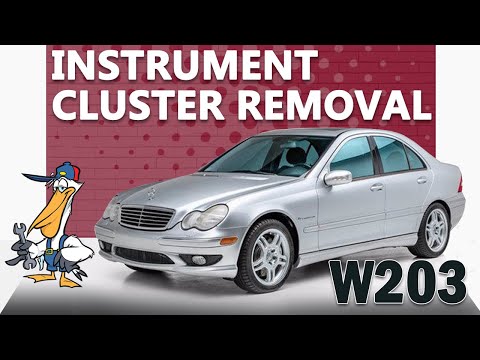
Hello! Today, replace the instrument cluster / speedometer on a Mercedes C-Class. On either side of the instrument cluster, there are two slotted hol…

Mercedes Classe C
(1993-2000 /
W202)
The instrument cluster of the vehicle in question is simply clipped into the dashboard: to remove it, just pull it forward.
To do this, it is suggest…
Other guides you may be interested in
|
How to Activate Bluetooth on the BMW 1 Series?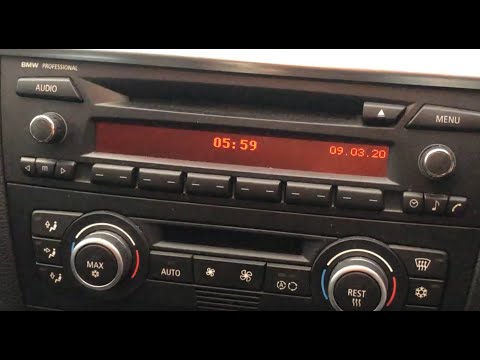
To activate Bluetooth on the BMW 1 Series, turn on the ignition so you can press the MENU button on the central control panel. This will allow you to select the "TEL" option to make the device visible. Then, connect to the radio using your mobile phone, selecting the device called "BMW" followed by a five-digit code. This code must be entered using the radio controls, confirming with OK. After entering and confirming, you will notice that the pairing between the devices has occurred. by ScegliAuto More videos
|
|
For advertising on this site Write to info@scegliauto.com
ScegliAuto is not responsible for any inaccuracy of the data in the lists. To report any inaccuracy or your business (if you own the business in question), please write to info@scegliauto.com
Number of seconds to generate the page: 0.363
(c) ScegliAuto 2026 - info@scegliauto.com - Privacy policy VAT number: IT01247470535 |
