
|
Do it yourself
| |||
| ||||


Removing Wiper Blades and Motor for Repair
Model: Mercedes Classe C
W202
- Years 1993-2000
Video tutorial
Detailed instructions - Lift and remove the air intake grilles, then remove the plastic cover by prying with a screwdriver on the various plastic clips. Now you can access the wiper mechanism. Remove the plastic cover under the wiper arm. Disconnect the wiring connector from the motor. Using a ratchet wrench, remove the three nuts and detach the clip at the base of the arm. Remove the entire wiper mechanism assembly. Lift the protective cover at the base of the wiper and remove the remaining covers. Proceed with the repair by replacing the broken original zinc support by disassembling the mechanical part of the arm movement.
Updated on 2 February 2026 by ScegliAuto
Related tutorials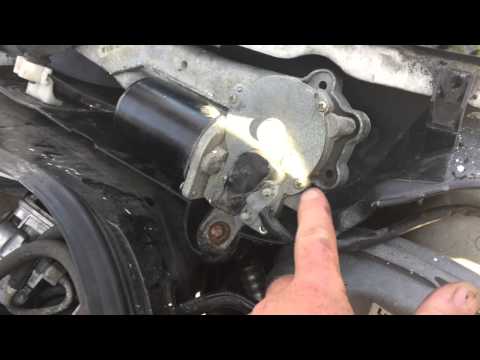
Mercedes Classe C
(1993-2000 /
W202)
The wiper motor is located just below the windshield, in the center position: to access it, remove the plastic grille; once you reach the motor, unsc…

Mercedes Classe C
(1993-2000 /
W202)
The following instructions will show us the process of disassembling and replacing the front windshield wiper motor of the Mercedes C-Class. First, w…
Mercedes Classe C
(1993-2000 /
W202)
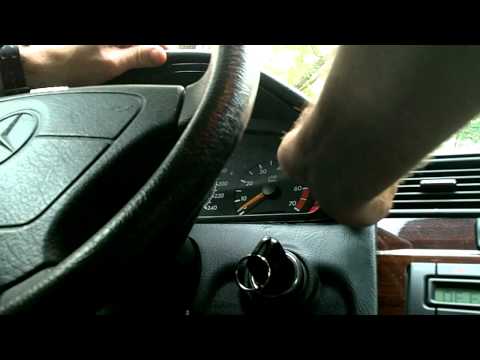
The video shows how to easily and quickly remove the part of the dashboard that houses the speedometer and instrument cluster. First, pry at the edge…
Other guides you may be interested in
|
How to Activate Bluetooth on the BMW 1 Series?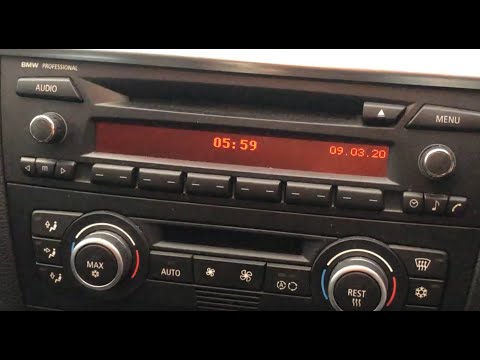
To activate Bluetooth on the BMW 1 Series, turn on the ignition so you can press the MENU button on the central control panel. This will allow you to select the "TEL" option to make the device visible. Then, connect to the radio using your mobile phone, selecting the device called "BMW" followed by a five-digit code. This code must be entered using the radio controls, confirming with OK. After entering and confirming, you will notice that the pairing between the devices has occurred. by ScegliAuto More videos
|
|
For advertising on this site Write to info@scegliauto.com
ScegliAuto is not responsible for any inaccuracy of the data in the lists. To report any inaccuracy or your business (if you own the business in question), please write to info@scegliauto.com
Number of seconds to generate the page: 0.172
(c) ScegliAuto 2026 - info@scegliauto.com - Privacy policy VAT number: IT01247470535 |
