
|
Do it yourself
| |||
| ||||


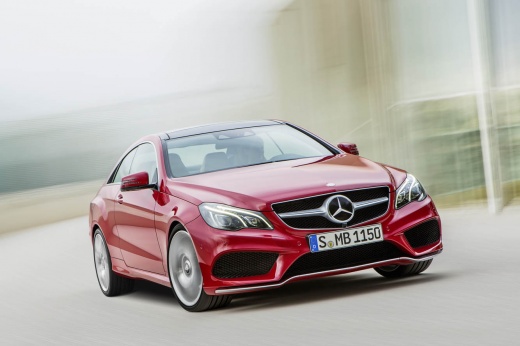
How to Remove the Navigation System from a Mercedes Dashboard
Model: Mercedes Classe E
W212
- Years:
2009, 2010, 2011, 2012, 2013, 2014, 2015, 2016
Video tutorial
How do you remove the original navigation/stereo system from your Mercedes? Let's see how to proceed with the correct disassembly. Using a thin screwdriver, detach the metal clips that secure the plastic cover of the dashboard, located in the passenger side glove compartment. Pull off the plastic trim that includes the air conditioning vents from the dashboard. Disconnect the power connectors and continue by removing the screws around the perimeter of the stereo/navigation unit. Pull the unit out of its housing. To reassemble the various removed pieces, proceed in reverse order.
Updated on 25 February 2026 by ScegliAuto
Related tutorials
Mercedes Classe E
(2002-2009 /
W211)
In this brief video guide, you will learn how to change the time on the onboard computer of a Mercedes E-Class, model W211, with a central touchscree…

Mercedes Classe E
(2002-2009 /
W211)
The following guide provides information on how to remove the CD player and GPS from your car. Some problems need to be addressed by professionals, b…

Mercedes Classe E
(2016-2023 /
W213)
The Mercedes Comand system in the 2017 E-Class integrates audio, navigation, and climate control functions. Over time, issues like unresponsive touch…
Other guides you may be interested in
|
How to Open the Fuel Door of the MG ZS?
To open the fuel door of the MG ZS, access the interior of the vehicle to locate the lever that unlocks the fuel door. This lever is located on the lower left side of the dashboard, near the steering column. Pull the lever to open the fuel door, allowing you to unscrew the cap underneath for refueling. After refueling, replace the fuel cap and securely close the fuel door. by ScegliAuto More videos
|
|
For advertising on this site Write to info@scegliauto.com
ScegliAuto is not responsible for any inaccuracy of the data in the lists. To report any inaccuracy or your business (if you own the business in question), please write to info@scegliauto.com
Number of seconds to generate the page: 0.021
(c) ScegliAuto 2026 - info@scegliauto.com - Privacy policy VAT number: IT01247470535 |
