
|
Do it yourself
| |||
| ||||


Video tutorial
In this video we can see how to change the battery of an MG 5 remote control: It will be enough to pry in the lower part of the shell, with something that does not damage the plastic of the remote control, in order to lift the cover on the side with the MG brand, after we have extracted the metal key. In this way we can already see the battery, which is a common CR2032, which we can easily find in any supermarket or electronics store. We remove the old battery, levering with a small screwdriver, and put the new one in its place, paying attention to the polarity. We put the plastic cover back in place, and the operation is complete.
Posted on 5 January 2025 by ScegliAuto
Related tutorials
MG 5
(2020-2026 /
MK 2)
If some devices of our MG MG5 EV have suddenly stopped working, we can first of all check the status of the related fuses, whose diagrams are indicat…

MG 5
(2012-2018 /
Ap12)
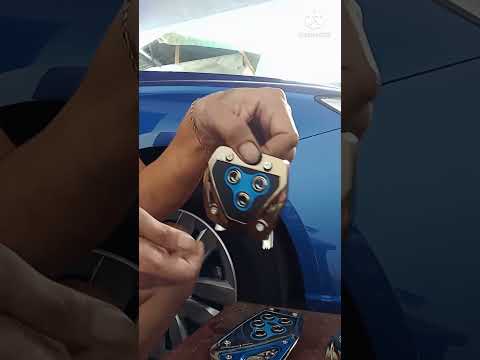
The video above explains how you can easily enhance the aesthetics of the vehicle and protect it from wear and dirt. In the first part, we focus on t…
MG 5
(2012-2018 /
Ap12)
The MG5 is a newly designed electric vehicle, demonstrating that Chinese brands are not just mere imitations of Western models, but that there is an …
Other guides you may be interested in
|
How to Reset the Tyre Pressure Warning Light on the Jeep Renegade?
To reset the tyre pressure warning light on the Jeep Renegade, inflate the tyres until they reach the recommended pressure: this value is indicated on the sticker attached to the driver’s door pillar. Once the tyres are properly inflated, navigate through the menu that appears on the instrument cluster until you find the tyre pressure option. At this point, press and hold the OK button on the right side of the steering wheel to make the warning light disappear. by ScegliAuto More videos
|
|
For advertising on this site Write to info@scegliauto.com
ScegliAuto is not responsible for any inaccuracy of the data in the lists. To report any inaccuracy or your business (if you own the business in question), please write to info@scegliauto.com
Number of seconds to generate the page: 0.103
(c) ScegliAuto 2026 - info@scegliauto.com - Privacy policy VAT number: IT01247470535 |
