
|
Do it yourself
| |||
| ||||


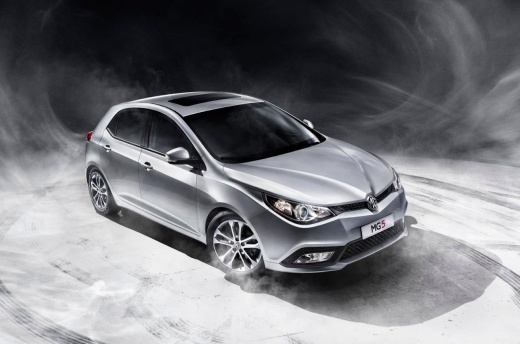
How to Install Non-Slip Pedals on Our MG5
Model: MG 5
Ap12
- Years:
2012, 2013, 2014, 2015, 2016, 2017, 2018
Video tutorial
The MG5 is a newly designed electric vehicle, demonstrating that Chinese brands are not just mere imitations of Western models, but that there is an independent design that rivals the big names we all know. If you decide to purchase a vehicle of this type, you can choose to enhance it by installing a set of custom non-slip pedals. They cost only $16.00 on major e-commerce platforms and have a great effect. The video teaches us how to do it. Install the clips that are part of the set - which includes all three pedals - clean the pedals where you will place the covers, and simply screw in the clips, which will hold the non-slip covers securely to our pedals. Decorative and very useful.
Updated on 10 July 2026 by ScegliAuto
Related tutorials
MG 5
(2012-2018 /
Ap12)
The video above explains how you can easily enhance the aesthetics of the vehicle and protect it from wear and dirt. In the first part, we focus on t…

MG 5
(2020-2026 /
MK 2)
If some devices of our MG MG5 EV have suddenly stopped working, we can first of all check the status of the related fuses, whose diagrams are indicat…
MG 5
(2012-2018 /
Ap12)
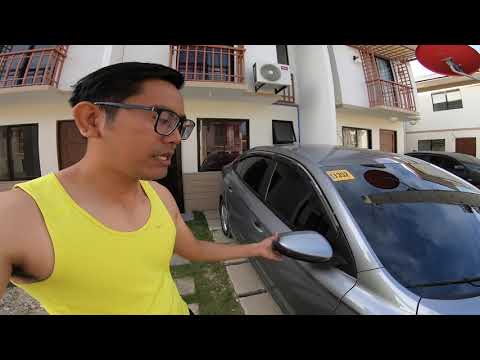
This guide shows how to manually close the exterior mirrors of the MG5. The vehicle does not have an automatic or electric closing system for the mir…
Other guides you may be interested in
|
How to Activate the Automatic Folding and Unfolding of the Wing Mirrors on the Jeep Compass
Follow these brief instructions to activate the automatic folding and unfolding of the external wing mirrors on the Jeep Compass. First, get inside the vehicle and turn on the ignition; then press the button located beneath the mirror glass adjustment to electrically open the mirror, as shown in the video. Pressing the button in the opposite direction will close the mirrors; by holding the button, the mirrors will open and close automatically! by ScegliAuto More videos
|
|
For advertising on this site Write to info@scegliauto.com
ScegliAuto is not responsible for any inaccuracy of the data in the lists. To report any inaccuracy or your business (if you own the business in question), please write to info@scegliauto.com
Number of seconds to generate the page: 0.009
(c) ScegliAuto 2026 - info@scegliauto.com - Privacy policy VAT number: IT01247470535 |
