
|
Do it yourself
| |||
| ||||


MG 5 - Video guides MG 5 (2020-2026 / MK 2) How to Reset the Service Light on the MG 5? In this tutorial, you will learn how to reset the service light on the MG 5. This operation is extremely simple and quick, and should only be performed after …Read all… Posted on 28 October 2026 by ScegliAuto  MG 5 (2020-2026 / MK 2) How to Turn Off the Service Light on the MG 5? The MG 5 is equipped with an onboard computer within the instrument cluster, where the message appears along with the corresponding light, informing the driver …Read all… Posted on 5 August 2026 by ScegliAuto  MG 5 (2020-2026 / MK 2) Replacing the Fuel Filter on the MG 5 This guide provides the necessary instructions to disassemble and replace the fuel filter on the MG 5. First, raise the vehicle on the right rear side to …Read all… Posted on 27 July 2026 by ScegliAuto  MG 5 (2020-2026 / MK 2) Resetting the Tire Pressure Light on the MG 5 Today, you will learn how to reset the tire pressure light on the instrument cluster of the MG 5. Before resetting the TPMS sensors, ensure all four tires are …Read all… Posted on 19 March 2026 by ScegliAuto  MG 5 (2020-2026 / MK 2) How to Reset the Service Light on an MG 5 Today, we will explain how to reset the oil maintenance light on an MG 5 vehicle. Turn on the instrument cluster and press the OK button on the steering wheel …Read all… Posted on 17 March 2026 by ScegliAuto  MG 5 (2020-2026 / MK 2) The key for the remote control battery of the MG 5, how is it replaced? Is the battery of our MG 5 key dead? No worries, we can replace it ourselves in no time, without needing to go to a service center and without spending a lot …Read all… Posted on 29 November 2025 by ScegliAuto  MG 5 (2012-2018 / Ap12) How to reset the TPMS light of the 2018 MG 5 The following video tutorial shows us how to reset the TPMS light on an MG 5 vehicle; The reset follows a simple and quick procedure to be carried out …Read all… Posted on 25 October 2025 by ScegliAuto  MG 5 (2012-2018 / Ap12) How to manually reset the oil light indicator on the MG 5 If you own a first series MG 5 and want to independently reset the oil warning light that continues to stay on the instrument panel, just follow the steps …Read all… Posted on 18 September 2025 by ScegliAuto  MG 5 (2020-2026 / MK 2) What is the fuse diagram for the MG MG5 EV? If some devices of our MG MG5 EV have suddenly stopped working, we can first of all check the status of the related fuses, whose diagrams are indicated in this …Read all… Posted on 29 July 2025 by ScegliAuto  MG 5 (2012-2018 / Ap12) How to set the time on the on-board computer of the MG 5 Setting the clock on the onboard computer of an MG 5 car is a simple and quick operation to be carried out independently. Let's start by adjusting the time by …Read all… Posted on 1 April 2025 by ScegliAuto  MG 5 (2012-2018 / Ap12) How do you change a light bulb in an MG 5? In this video we can see how to change the bulb of a front headlight of an MG5: inside the engine compartment of this car, we have plenty of space to reach in …Read all… Posted on 17 January 2025 by ScegliAuto  MG 5 (2012-2018 / Ap12) How to replace the battery of the MG5 remote control In this video we can see how to change the battery of an MG 5 remote control: It will be enough to pry in the lower part of the shell, with something that does …Read all… Posted on 5 January 2025 by ScegliAuto  MG 5 (2012-2018 / Ap12) How to reset the tire pressure sensor of a MG 5? To reset the tire pressure warning light on an MG 5, use the buttons on the steering wheel to enter the vehicle settings menu. Once in the menu, look for the …Read all… Posted on 18 December 2024 by ScegliAuto  MG 5 (2012-2018 / Ap12) How to Reset the Service Light on the MG 5 In this mini guide, you will learn how to correctly perform the manual reset of the service light on the instrument cluster of your MG 5. First, get in the car …Read all… Posted on 25 October 2026 by ScegliAuto  MG 5 (2012-2018 / Ap12) How to Install Fog Light Frames and Rubber Mat in the Trunk of the MG5? The video above explains how you can easily enhance the aesthetics of the vehicle and protect it from wear and dirt. In the first part, we focus on the fog …Read all… Posted on 6 August 2026 by ScegliAuto  MG 5 (2012-2018 / Ap12) How to Replace the Front Wipers on the MG 5 In this guide, follow the steps to remove and replace the front wipers on your MG 5. First, move to the front of your car and lift the front wiper arm; then …Read all… Posted on 4 August 2026 by ScegliAuto 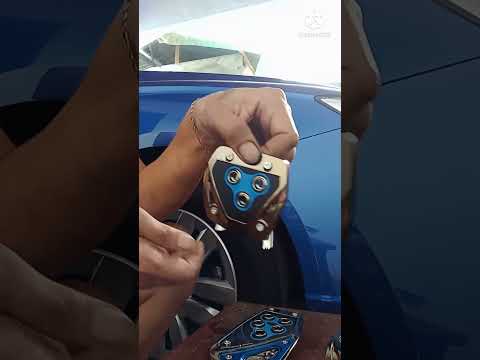 MG 5 (2012-2018 / Ap12) How to Install Non-Slip Pedals on Our MG5 The MG5 is a newly designed electric vehicle, demonstrating that Chinese brands are not just mere imitations of Western models, but that there is an …Read all… Posted on 30 September 2026 by ScegliAuto 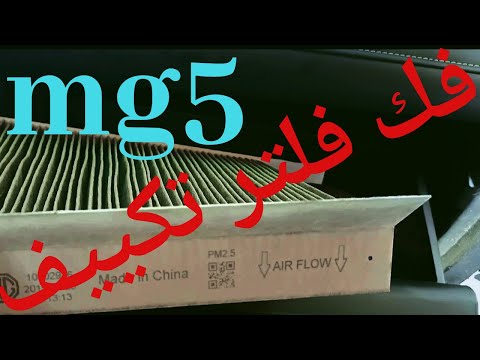 MG 5 (2012-2018 / Ap12) How to Replace the Cabin Air Filter on the MG 5 To replace the cabin air filter on this vehicle, follow the DIY instructions below and check the video as well. Access the passenger seat; the filter is …Read all… Posted on 21 September 2026 by ScegliAuto  MG 5 (2012-2018 / Ap12) How to Install a Dashcam on the MG 5? Below is a description of how to mount a dashcam on your aftermarket vehicle: First, open the package and check the contents of the kit, which includes the …Read all… Posted on 10 September 2026 by ScegliAuto  MG 5 (2012-2018 / Ap12) How to Replace the Cabin Air Filter in the MG 5? The following is the procedure to follow for replacing the cabin air filter in the vehicle: access the cabin by sitting in the passenger seat, open the glove …Read all… Posted on 8 September 2026 by ScegliAuto
Battery (2)
Body (1)
Key (4)
Checks and maintenance (1)
Dashboard (1)
Air filter (2)
Cabin air filter (2)
Fuel filter (1)
Light bulb (1)
Headlight bulb (1)
Clock (1)
Brake pads (1)
Instrument cluster (1)
Wheel (2)
Fuse box (2)
Seat (1)
Side mirror (1)
Warning light – error code (1)
Tire pressure warning light (2)
Service warning light (4)
Windshield wipers (1)
|
How to Set the Time on an Audi A6
Briefly, we will see the instructions to set the time on the Audi A6 by following these simple steps. First, get inside the vehicle and turn on the instrument cluster; then press the settings button and navigate to the time option to confirm your choice, as shown in the video. At this point, set the correct time and format, then exit the settings menu to save the changes made; finally, start the engine and ensure that the time has been set correctly! by ScegliAuto More videos
|
|
For advertising on this site Write to info@scegliauto.com
ScegliAuto is not responsible for any inaccuracy of the data in the lists. To report any inaccuracy or your business (if you own the business in question), please write to info@scegliauto.com
Number of seconds to generate the page: 0.009
(c) ScegliAuto 2026 - info@scegliauto.com - Privacy policy VAT number: IT01247470535 |
