
|
Do it yourself
| |||
| ||||


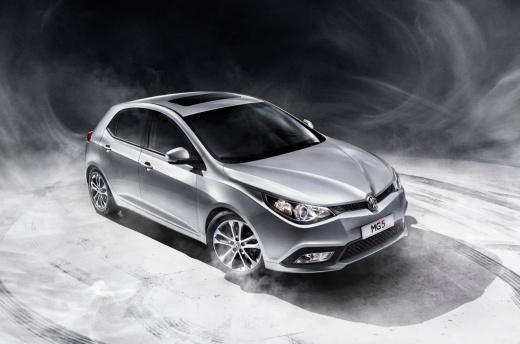
How to manually reset the oil light indicator on the MG 5
Model: MG 5
Ap12
- Years:
2012, 2013, 2014, 2015, 2016, 2017, 2018
Video tutorial
If you own a first series MG 5 and want to independently reset the oil warning light that continues to stay on the instrument panel, just follow the steps described in the following guide. First, reach the driver's seat and turn on the instrument panel if you haven't already done so, then press the directional button with the right arrow several times until you see the "Next service" screen on the display. Finally, hold down the "OK" button until the warning light reset is complete and you're done.
Posted on 18 September 2025 by ScegliAuto
Related tutorials
MG 5
(2020-2026 /
MK 2)
Today, we will explain how to reset the oil maintenance light on an MG 5 vehicle. Turn on the instrument cluster and press the OK button on the steer…

MG 5
(2020-2026 /
MK 2)
The MG 5 is equipped with an onboard computer within the instrument cluster, where the message appears along with the corresponding light, informing …

MG 5
(2012-2018 /
Ap12)
The following video tutorial shows us how to reset the TPMS light on an MG 5 vehicle; The reset follows a simple and quick procedure to be carried ou…
Other guides you may be interested in
|
Where are the fuses located on the Renault Laguna?
On the Renault Laguna, the fuses are located inside the fuse boxes installed in the vehicle: in this car model, you will find two boxes for containing the fuses. The first is in the fuse box on the left side of the dashboard, accessible by opening the driver's door: here you will find the fuses for the windscreen wipers, fog lights, horn, etc. The second box is located on the right side of the engine compartment: here you will find the fuses for the dipped headlights, radiator fan, alternator, etc. by ScegliAuto More videos
|
|
For advertising on this site Write to info@scegliauto.com
ScegliAuto is not responsible for any inaccuracy of the data in the lists. To report any inaccuracy or your business (if you own the business in question), please write to info@scegliauto.com
Number of seconds to generate the page: 0.023
(c) ScegliAuto 2026 - info@scegliauto.com - Privacy policy VAT number: IT01247470535 |
