
|
Do it yourself
| |||
| ||||


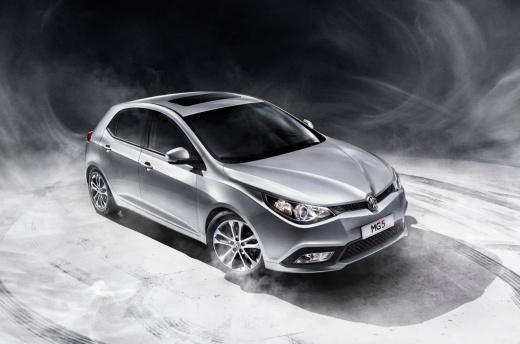
How to Install a Dashcam on the MG 5?
Model: MG 5
Ap12
- Years:
2012, 2013, 2014, 2015, 2016, 2017, 2018
Video tutorial
Below is a description of how to mount a dashcam on your aftermarket vehicle: First, open the package and check the contents of the kit, which includes the dashcam, power cables, and a charger for the cigarette lighter, a memory card to insert into the camera, and a suction mount for attaching it to the windshield. Attach the mount to the camera by screwing it in, then connect the power cable to the camera and access the driver's seat. Plug the connector into the cigarette lighter and power on the dashcam. Clean the area of the windshield where you will attach the camera with a degreaser, and finally, secure the suction mount.
Updated on 27 June 2026 by ScegliAuto
Related tutorials
Mazda CX-5
(2017-2024 /
MK 2)
Follow this guide for the main instructions to install the Dash Cam on the Mazda CX-5, following these simple steps. First, get into the vehicle and …

Citroen C5 Aircross
(2017-2022 /
MK 1)
To install the dash cam on the Citroën C5 Aircross, use a tool to pry off the trim panel behind the internal rear-view mirror: here you can install t…

Volkswagen Tiguan
(2016-2025 /
BW, MK 2, AD)
In this guide, we will see the instructions that will allow us to install the dash cam or camera on the dashboard of the Volkswagen Tiguan. First, we…
Other guides you may be interested in
|
How to Activate the Automatic Folding and Unfolding of the Wing Mirrors on the Jeep Compass
Follow these brief instructions to activate the automatic folding and unfolding of the external wing mirrors on the Jeep Compass. First, get inside the vehicle and turn on the ignition; then press the button located beneath the mirror glass adjustment to electrically open the mirror, as shown in the video. Pressing the button in the opposite direction will close the mirrors; by holding the button, the mirrors will open and close automatically! by ScegliAuto More videos
|
|
For advertising on this site Write to info@scegliauto.com
ScegliAuto is not responsible for any inaccuracy of the data in the lists. To report any inaccuracy or your business (if you own the business in question), please write to info@scegliauto.com
Number of seconds to generate the page: 0.020
(c) ScegliAuto 2026 - info@scegliauto.com - Privacy policy VAT number: IT01247470535 |
