
|
Do it yourself
| |||
| ||||



Video tutorial
On some MG ZS models, the time is not saved unless you exit the menu correctly. So, turn on the ignition, go to the "settings" menu, scroll down to find "general," select "date and time," set the time by choosing the format (12 or 24 hours) using the +/– buttons and the rotary selector, and adjust the hours and minutes. But do not press "ok" to save. Completely turn off the ignition and wait 10 seconds, then turn it back on and check that the time is correct. The MG ZS owner's manual is not just a list of warnings, but an essential guide, as it informs you of things like this that are counterintuitive. Some commands also require pressing a button before entering the menu, not to mention the time and frustration saved by reading the manual instead of trying repeatedly with the risk of messing up the electronics.
Posted on 29 May 2026 by ScegliAuto
Related tutorials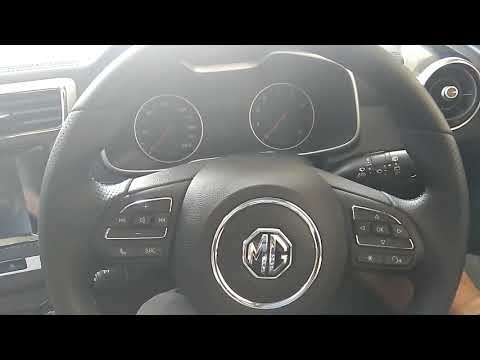
MG ZS
(2017-2024 /
Zs11)
Today, in this brief and simple guide, you will learn how to change the time on the MG ZS by following the instructions below. First, get inside the …

MG ZS
(2017-2024 /
Zs11)
Below we will see the instructions that will allow us to adjust the time on the central display of the MG ZS, in simple and quick steps. First of all…

MG ZS
(2017-2024 /
Zs11)
In the following article, we will see how to adjust the time on the MG ZS. To adjust the time, first start the instrument panel, then press the menu …
Other guides you may be interested in |
How to Reset the Tyre Pressure Warning Light on the Jeep Renegade?
To reset the tyre pressure warning light on the Jeep Renegade, inflate the tyres until they reach the recommended pressure: this value is indicated on the sticker attached to the driver’s door pillar. Once the tyres are properly inflated, navigate through the menu that appears on the instrument cluster until you find the tyre pressure option. At this point, press and hold the OK button on the right side of the steering wheel to make the warning light disappear. by ScegliAuto More videos
|
|
For advertising on this site Write to info@scegliauto.com
ScegliAuto is not responsible for any inaccuracy of the data in the lists. To report any inaccuracy or your business (if you own the business in question), please write to info@scegliauto.com
Number of seconds to generate the page: 0.016
(c) ScegliAuto 2026 - info@scegliauto.com - Privacy policy VAT number: IT01247470535 |
