
|
Do it yourself
| |||
| ||||


How do you set the clock in the Mini Cooper?
Model: Mini Mini
F55, F54, F57, F56
- Years 2014-2023
The clock adjustment of the Mini Cooper can be done by turning on the instrument panel, after the key has been inserted into the corresponding slot: once the panel has been turned on, it will be possible to navigate the menu that will appear on the screen in the center of the dashboard. You will need to select the "Settings" option and then "Time/Date": at this point, you will be able to modify both the hours and minutes using the touch controls. After the clock adjustment has been made, you can return to the initial screen to confirm.
Posted on 1 December 2024 by ScegliAuto
Video tutorial
Related tutorials
Mini
(2001-2007 /
R52, R50, R53)
The clock of the Mini Cooper can be adjusted by turning on the instrument panel, turning the ignition key: once the panel is turned on, you can hold …

Mini
(2014-2023 /
F55, F54, F57, F56)
In this tutorial, we can see how to adjust the time in the Mini Cooper, an extremely simple and quick operation, to be carried out, for example, afte…

Mini
(2001-2007 /
R52, R50, R53)
In a few simple steps, we will see how to adjust the clock on the display of the Mini Cooper's instrument panel. First, get into the car and turn on …
Other guides you may be interested in
|
How to Remove the Glow Plugs on a Mercedes E-Class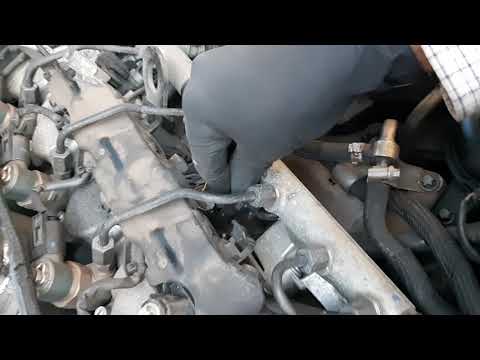
Do you want to remove the glow plugs on a Mercedes E-Class and don't know how? Let's see in this detailed video how to proceed with the removal. Pull the engine hood release lever located on the bottom left of the dashboard and lift the front hood, securing it. Remove the soundproofing panel that covers the engine. Use a socket wrench to unscrew the glow plug, pull it out of the cylinder head (perform the same operation on the other glow plugs). Take the new glow plug and insert it into the cylinder head using the socket wrench. Finally, reinstall the plastic cylinder head cover panel. by ScegliAuto More videos
|

|
For advertising on this site Write to info@scegliauto.com
ScegliAuto is not responsible for any inaccuracy of the data in the lists. To report any inaccuracy or your business (if you own the business in question), please write to info@scegliauto.com
Number of seconds to generate the page: 0.132
(c) ScegliAuto 2026 - info@scegliauto.com - Privacy policy VAT number: IT01247470535 |
