
|
Do it yourself
| |||
| ||||



How to Remove the Onboard Computer and Stereo from a Mini
Model: Mini Mini
R57, R56, R55
- Years:
2007, 2008, 2009, 2010, 2011, 2012, 2013, 2014
Video tutorial
How to remove the onboard computer and stereo from a Mini? Here's how to proceed with disassembling the parts: using a thin screwdriver or plastic lever, pry between the central dashboard trim and the frame (pull it off). Unscrew the screws located inside the dashboard plastics, unscrew the final screws at the bottom and detach all the plastics. Remove the onboard computer from the car's dashboard (remove the frame); take out the stereo and disconnect the various power connectors located at the back.
Updated on 4 March 2026 by ScegliAuto
Related tutorials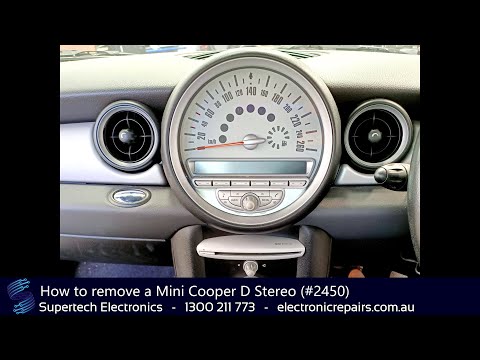
Mini
(2007-2014 /
R57, R56, R55)
This tutorial shows how to remove the on-board computer from the Mini Cooper, a very simple operation. First, ensure that the key is not inserted, th…
Mini
(2001-2007 /
R53, R50, R52)
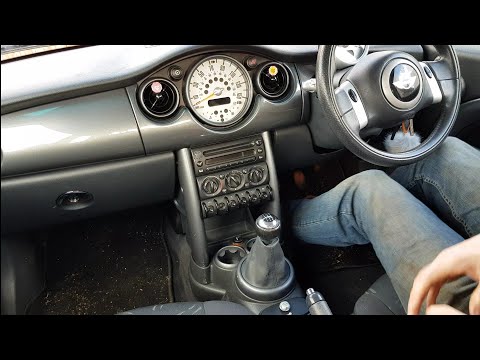
How do you remove the stereo from a Mini Cooper? Let's look at the disassembly and reassembly of the stereo. Open the passenger side dashboard, unscr…

Mini
(2001-2007 /
R53, R50, R52)
To activate the on-board computer on a Mini One D R50, there is no dedicated physical button; activation occurs via the "BC" button on the wiper stal…
Other guides you may be interested in
|
How to Activate the Automatic Folding and Unfolding of the Wing Mirrors on the Jeep Compass
Follow these brief instructions to activate the automatic folding and unfolding of the external wing mirrors on the Jeep Compass. First, get inside the vehicle and turn on the ignition; then press the button located beneath the mirror glass adjustment to electrically open the mirror, as shown in the video. Pressing the button in the opposite direction will close the mirrors; by holding the button, the mirrors will open and close automatically! by ScegliAuto More videos
|
|
For advertising on this site Write to info@scegliauto.com
ScegliAuto is not responsible for any inaccuracy of the data in the lists. To report any inaccuracy or your business (if you own the business in question), please write to info@scegliauto.com
Number of seconds to generate the page: 0.032
(c) ScegliAuto 2026 - info@scegliauto.com - Privacy policy VAT number: IT01247470535 |
