
|
Do it yourself
| |||
| ||||



How to Reset the Tyre Pressure Light on a Mini
Model: Mini Mini
R56, R57, R55
- Years:
2007, 2008, 2009, 2010, 2011, 2012, 2013, 2014
Video tutorial
Learn how to reset the tyre maintenance service light on a Mini. Follow these steps: enter the vehicle and turn on the instrument cluster (with the ignition key), press the button on the lever (next to the steering wheel), scroll through the menu that appears on the display until you find the option to select. Select the option with the right button and press it firmly (wait for the light to turn off). Finally, turn off the instrument cluster and check the settings made. Always remember to make changes to the onboard computer while the vehicle is stationary and turned off.
Updated on 7 March 2026 by ScegliAuto
Related tutorials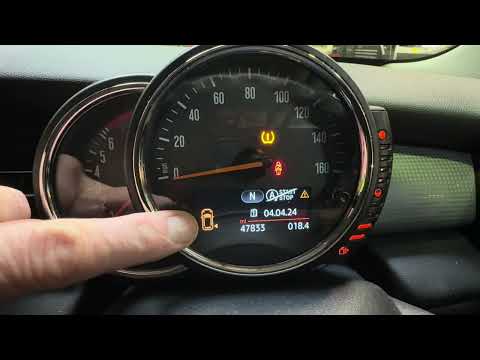
Mini
(2010-2016 /
Countryman1, R60)
If the orange tyre warning light on your 2015 Mini Countryman remains illuminated, it means the control unit has detected abnormal pressure in the in…

Mini
(2001-2007 /
R50, R52, R53)
To reset the tire pressure warning light on a Mini Cooper, turn on the instrument panel without starting the engine. Using the turn signal lever, acc…
Mini
(2017-2023 /
F60, Countryman2)
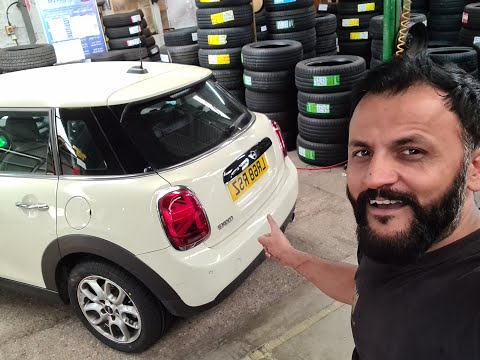
In this brief guide, we will look at the steps to reset the tyre pressure warning light on a Mini Cooper S. Before performing the reset, ensure all f…
Other guides you may be interested in
|
How to Open a Stuck Trunk on a Mercedes C-Class W205
Like all modern vehicles, the Mercedes C-Class has the option to open the trunk from the inside. If the trunk does not open from the outside, you can enter the vehicle and, by pressing the button located on the top of the backrest, fold down the center seat. From here, you can lower the other two seatbacks to create a flat surface, allowing you to slide down to the internal trunk lock. Here, you will see a black handle that, when lifted, will give you access to a strap. Pulling the strap will allow you to reach the lever of the internal mechanism. Simply lift it to allow the trunk to open. by ScegliAuto More videos
|
|
For advertising on this site Write to info@scegliauto.com
ScegliAuto is not responsible for any inaccuracy of the data in the lists. To report any inaccuracy or your business (if you own the business in question), please write to info@scegliauto.com
Number of seconds to generate the page: 0.107
(c) ScegliAuto 2026 - info@scegliauto.com - Privacy policy VAT number: IT01247470535 |
