
|
Do it yourself
| |||
| ||||



How to reset the oil change on a Mini Cooper
Model: Mini Mini
F56, F54, F57, F55
- Years:
2014, 2015, 2016, 2017, 2018, 2019, 2020, 2021, 2022, 2023
Video tutorial
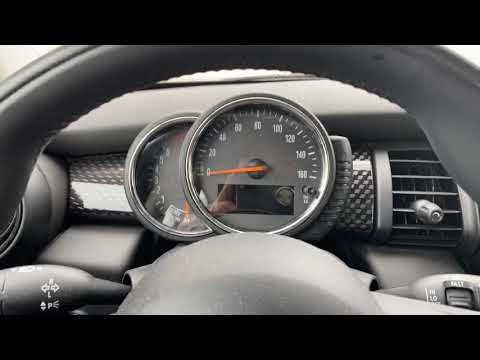
In today's video, we will see how to reset the engine oil change light on a Mini Cooper, model registered in 2020. So let's start the procedure by turning on the ignition of our vehicle, then we press the speedometer button until we see the vehicle's mileage on the display, then we press and hold the speedometer button until we enter the service menu as shown in the video. Once done, on the "reset executable" option, we press and hold the previous button until the reset request appears, then we release the button and hold it down one last time until the reset is completed to finish the job.
Posted on 10 January 2026 by ScegliAuto
Related tutorials
Mini
(2014-2023 /
F56, F54, F57, F55)
These brief and simple steps will show you how to reset the brake fluid service light on the Mini Cooper. First, get in the car and turn on the ignit…

Mini
(2007-2014 /
R56, R57, R55)
Today we will discover the instructions that will allow us to reset the maintenance reminder for the engine oil change of the Mini Cooper, by resetti…
Mini
(2014-2023 /
F56, F54, F57, F55)
In today's guide, you will learn how to reset the service light for the regular maintenance oil change on a 2016 Mini Cooper S, fourth series. First,…
Other guides you may be interested in
|
How to Open the Bonnet of the Toyota C-HR?
In this tutorial, you will learn how to open the bonnet of the Toyota C-HR, a very simple operation that follows the typical procedure for most vehicles. First, unlock the catches using the remote button, then open the driver's door, locate the lever in the lower left area of the dashboard, and pull it. Next, move to the front of the vehicle, locate the second lever, push it to the left, and simultaneously lift the bonnet. To close it, simply let it drop gently. by ScegliAuto More videos
|
|
For advertising on this site Write to info@scegliauto.com
ScegliAuto is not responsible for any inaccuracy of the data in the lists. To report any inaccuracy or your business (if you own the business in question), please write to info@scegliauto.com
Number of seconds to generate the page: 0.042
(c) ScegliAuto 2026 - info@scegliauto.com - Privacy policy VAT number: IT01247470535 |
