
|
Do it yourself
| |||
| ||||


How to Replace the Side Indicator Bulb on Mini R56?
Model: Mini Mini
R56, R55, R57
- Years 2007-2014
Here’s another DIY task, as it requires little time and no specific tools to carry out this intervention. We also have the attached video tutorial to give you a clear idea of how to proceed, so let’s continue: push the side indicator towards the door with your hands and pull it out from the bodywork, then disconnect the electrical connector and slightly rotate the bulb holder to extract it. Remove the burnt bulb, insert the replacement, and reassemble all components in their place.
Posted on 3 March 2026 by ScegliAuto
Video tutorial
Related tutorials
Mini
(2007-2014 /
R56, R55, R57)
To replace the side bulb of the Mini Cooper model R56, we need to open the front hood and push the bulb cover outward. Disconnect the connector from …

Mini
(2007-2014 /
R56, R55, R57)
Replacing the parking bulb of the Mini Cooper R56 is quite simple, and this guide provides a description of all the steps you need to follow to compl…
Mini
(2007-2014 /
R56, R55, R57)
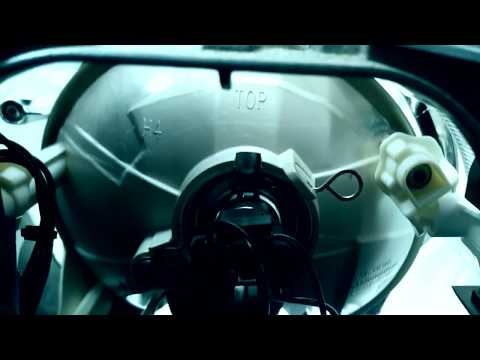
In today's video, you will see how to dismantle and replace the front headlamp bulb on a Mini Cooper R56 and R57 by following these simple steps. Fir…
Other guides you may be interested in
|
How to Adjust the Brightness of the Instrument Cluster on a Peugeot 3008?
To adjust the brightness of the instrument cluster on a Peugeot 3008, you need to turn on the ignition and access the settings via the menu located in the central area of the dashboard. In the screen that appears, select the "Display Configuration" option: now, by selecting the "Brightness" option, you can adjust it using the dedicated slider that will appear on the screen. The adjustment should be made with the headlights on as well as with them off. Once the adjustment is complete, you can turn off the instrument cluster. by ScegliAuto More videos
|

|
For advertising on this site Write to info@scegliauto.com
ScegliAuto is not responsible for any inaccuracy of the data in the lists. To report any inaccuracy or your business (if you own the business in question), please write to info@scegliauto.com
Number of seconds to generate the page: 0.128
(c) ScegliAuto 2026 - info@scegliauto.com - Privacy policy VAT number: IT01247470535 |
