
|
Do it yourself
| |||
| ||||


Service reset of a Mini Clubman
Model: Mini Mini
R57, R55, R56
- Years 2007-2014
How to reset the service on a Mini Clubman? Let's see how to reset the service light. We turn on the instrument panel and check the warning light on, press the fixed button located near the car speedometer, scroll through the menu with the control lever located to the left of the steering wheel until you find the maintenance to be done. We select the desired maintenance and confirm with the button previously pressed. We turn off the instrument panel once the service has been reset. Always remember to make changes to the car service with the vehicle stopped and turned off. We make further settings using the information display.
Posted on 26 September 2020 by ScegliAuto
Video tutorial
Related tutorials
Mini
(2007-2014 /
R57, R55, R56)
Today, we will see the instructions to reset the brake pad service light of the Mini Clubman. First, get inside the vehicle and turn on the instrumen…

Mini
(2014-2023 /
F55, F54, F57, F56)
To reset the Service light of the Mini Clubman, you need to turn on the instrument panel and then press the button located on its right side: by doin…
Mini
(2014-2023 /
F55, F54, F57, F56)
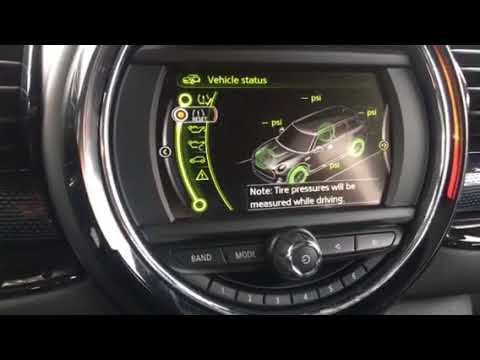
How to reset the tire maintenance indicator on a Mini Clubman. Very simple operation: enter the car body, turn on the instrument panel with the appro…
Other guides you may be interested in
|
How to Replace the Key Battery of a Ford B Max
Replacing the remote key battery of the Ford B Max is very simple, and the same procedure can be repeated for other models from the same manufacturer that share the same key design; start by removing the back casing of the key, which bears the manufacturer's emblem: on the upper edges of the key, there are two elements that must be pressed simultaneously to release the cover; at this point, use the tip of a screwdriver to pry off and extract the remote section that houses the buttons to access the battery compartment and replace it. by ScegliAuto More videos
|

|
For advertising on this site Write to info@scegliauto.com
ScegliAuto is not responsible for any inaccuracy of the data in the lists. To report any inaccuracy or your business (if you own the business in question), please write to info@scegliauto.com
Number of seconds to generate the page: 0.077
(c) ScegliAuto 2026 - info@scegliauto.com - Privacy policy VAT number: IT01247470535 |
