
|
Do it yourself
| |||
| ||||



Video tutorial
To change the battery of the Mini remote, proceed as follows: remove the key blade by simply extracting it, using a small flat screwdriver, lift (levering) the cover where it says "Mini"; once the cover is removed, you can proceed to take off the battery cover, again using a small flat screwdriver to lever it out. Levering with the same screwdriver, remove the battery, take it out of the packaging, and insert it where the old one was. Once the battery is in place, you can put the battery cover back on until you hear a click, then reattach the key cover until you hear a click and reinsert the key blade. Now you can test the new battery.
Updated on 5 May 2026 by ScegliAuto
Related tutorials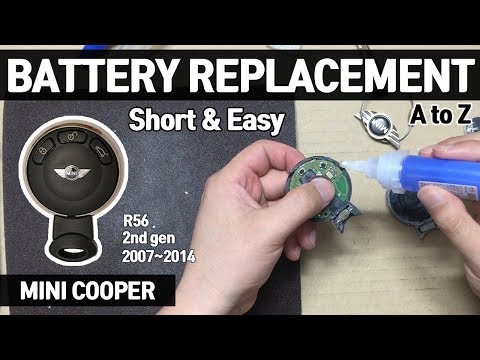
Mini
(2007-2014 /
R57, R56, R55)
Is the battery in your Mini key flat? Here’s how to change it. Take your remote key and use a small screwdriver to pry between the two parts of the p…

Mini
(2007-2014 /
R57, R56, R55)
How do you replace the battery in a Mini remote key? Here’s how to carry out the replacement: take your ignition key and use a screwdriver to pry bet…

Mini
(2014-2023 /
F55, F54, F56, F57)
To replace the battery, follow this description. First, remove the metal key inserted inside the remote control; to do this, operate the release tab.…
Other guides you may be interested in
|
How to Activate the Automatic Folding and Unfolding of the Wing Mirrors on the Jeep Compass
Follow these brief instructions to activate the automatic folding and unfolding of the external wing mirrors on the Jeep Compass. First, get inside the vehicle and turn on the ignition; then press the button located beneath the mirror glass adjustment to electrically open the mirror, as shown in the video. Pressing the button in the opposite direction will close the mirrors; by holding the button, the mirrors will open and close automatically! by ScegliAuto More videos
|
|
For advertising on this site Write to info@scegliauto.com
ScegliAuto is not responsible for any inaccuracy of the data in the lists. To report any inaccuracy or your business (if you own the business in question), please write to info@scegliauto.com
Number of seconds to generate the page: 0.124
(c) ScegliAuto 2026 - info@scegliauto.com - Privacy policy VAT number: IT01247470535 |
