
|
Do it yourself
| |||
| ||||


How to set the time in the Mini Countryman?
Model: Mini Mini
R60, Countryman1
- Years 2010-2016
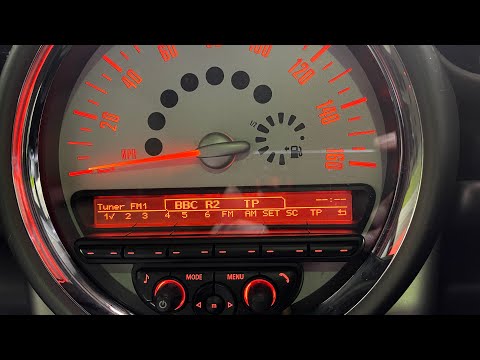
In this tutorial we can see how to set the time in the Mini Countryman, a very simple and quick operation, to be carried out after being left with the battery on the ground or following the transition to winter and summer time. We obviously start by turning on the instrument panel, then, with the control knob located near the gear lever, we enter the general menu and then the settings section. At this point we select the item "Time / Date" and proceed with the change of time, format and date according to the needs. Finally, let's go back to the main screen.
Posted on 13 April 2022 by ScegliAuto
Video tutorial
Related tutorials
Mini
(2010-2016 /
R60, Countryman1)
In this new guide aimed at all of you who own a Mini Countryman R60, we will explain how you can manually change the displayed time. First of all, st…
Mini
(2010-2016 /
R60, Countryman1)
In this tutorial we can see how to adjust the time in the Mini Countryman, a very simple and quick operation, to be carried out for example after cha…

Mini
(2010-2016 /
R60, Countryman1)
In this very useful video tutorial today you will be able to see the entire operation step by step to set the clock on your Mini Countryman, model wi…
Other guides you may be interested in
|
How to remove the original radio from a Peugeot 308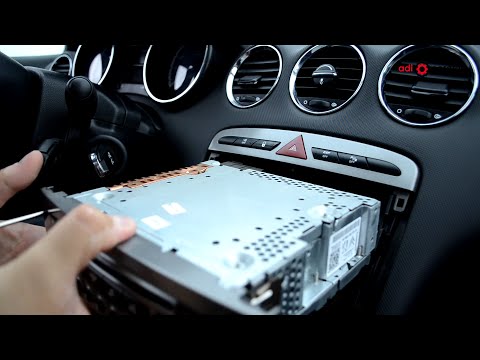
How to remove the original radio from a Peugeot 308? Follow these steps for disassembly: use the original or aftermarket metal keys to remove the stereo from the car. Insert the keys into the holes on the plastic cover of the stereo, pull the stereo towards you as shown in the video, and extract the radio while being careful of the various wiring (disconnect the power connectors and the antenna cable). Finally, reinstall the original radio or a generic brand one using the appropriate adapter (for the input and connector terminals). by ScegliAuto More videos
|

|
For advertising on this site Write to info@scegliauto.com
ScegliAuto is not responsible for any inaccuracy of the data in the lists. To report any inaccuracy or your business (if you own the business in question), please write to info@scegliauto.com
Number of seconds to generate the page: 0.082
(c) ScegliAuto 2026 - info@scegliauto.com - Privacy policy VAT number: IT01247470535 |
