
|
Do it yourself
| |||
| ||||


How to replace the headlight bulb on the Mini Cooper R56 - R57
Model: Mini Mini
R56, R57, R55
- Years 2007-2014
In today's video we will see how to remove and replace the headlight bulb of the Mini Cooper R56 and R57, following these simple steps. First we open the bonnet and start by removing the protective plastic cover of the dipped beam bulb; then we disconnect its electrical connector and unclip the metal clip at the back to remove the bulb, as shown in the video. At this point we replace the bulb with the new one, of the right type (in this case of type H4); insert it in the correct direction and hook the metal clip again!
Posted on 30 June 2022 by ScegliAuto
Video tutorial
Related tutorials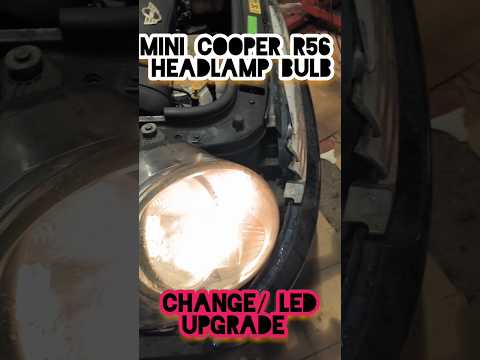
Mini
(2007-2014 /
R56, R57, R55)
If you own a Mini Cooper R56 and want to find out how to replace the front headlight bulb, all you have to do is follow the steps described in our ne…

Mini
(2007-2014 /
R56, R57, R55)
Replacing the front headlight bulbs of the Mini Cooper R56 model is a very simple and quick operation to perform independently. First, we open the fr…

Mini
(2007-2014 /
R56, R57, R55)
To replace the side bulb of the Mini Cooper model R56, we need to open the front hood and push the bulb cover outward. Disconnect the connector from …
Other guides you may be interested in
|
How to Fit Seat Covers on a Renault Clio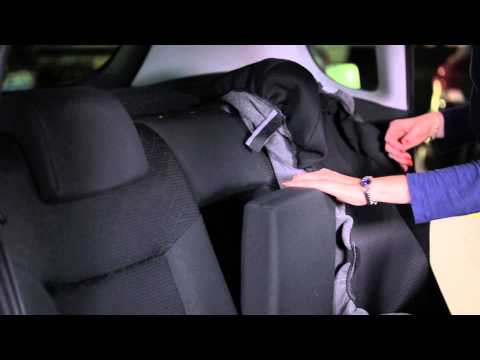
How do you fit seat covers on your Renault Clio? Watch this video for guidance. First, move the seat forward and raise the seat base, then remove the headrest from the backrest. Slide the seat cover from the top down over the backrest, removing any controls on the side of the seat if necessary by pulling them towards you. After fitting the upper seat cover, ensure it is around the headrest seals. Fit the lower seat cover on the base, pull the springs with the metal clips and secure them. Use plastic spatulas to assist with the fastening. by ScegliAuto More videos
|

|
For advertising on this site Write to info@scegliauto.com
ScegliAuto is not responsible for any inaccuracy of the data in the lists. To report any inaccuracy or your business (if you own the business in question), please write to info@scegliauto.com
Number of seconds to generate the page: 0.096
(c) ScegliAuto 2026 - info@scegliauto.com - Privacy policy VAT number: IT01247470535 |
