
|
Do it yourself
| |||
| ||||


How to Replace the Remote Battery in a Mini Cooper S?
Model: Mini Mini
F56, F57, F54, F55
- Years 2014-2023
In this video, see how to replace the remote battery in a Mini Cooper S. This is a very simple and quick operation. First, obtain a replacement CR2032 battery and a small flathead screwdriver. Start by inserting the screwdriver tip into the slot of the rear cover and open it. At this point, remove the emergency key and unlock the secondary cover by levering from the indicated ring. Next, remove the old battery and insert the new one, ensuring it is positioned the correct way. Finally, reassemble everything by following the reverse procedure.
Updated on 9 June 2026 by ScegliAuto
Video tutorial
Related tutorials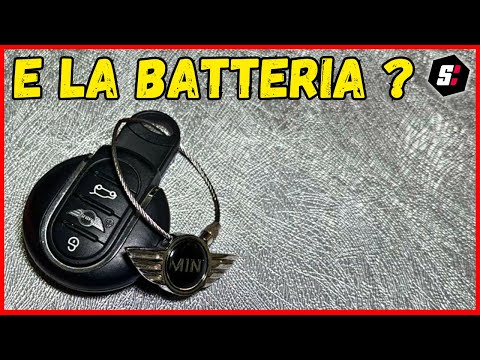
Mini
(2001-2007 /
R53, R52, R50)
To replace the remote battery of the Mini Cooper, use an object like a screwdriver to pry at the back of the device: this will detach the cover with …

Mini
(2014-2023 /
F56, F57, F54, F55)
Today's tutorial will show you the steps to disassemble and replace the battery of the Mini Cooper key remote. First, take the remote and remove the …

Mini
(2007-2014 /
R56, R55, R57)
The procedure for replacing the battery of the Mini Cooper remote control is done by levering with an object on the back of the device, so that the a…
Other guides you may be interested in
|
How to Adjust the Brightness of the Instrument Cluster on a Peugeot 3008?
To adjust the brightness of the instrument cluster on a Peugeot 3008, you need to turn on the ignition and access the settings via the menu located in the central area of the dashboard. In the screen that appears, select the "Display Configuration" option: now, by selecting the "Brightness" option, you can adjust it using the dedicated slider that will appear on the screen. The adjustment should be made with the headlights on as well as with them off. Once the adjustment is complete, you can turn off the instrument cluster. by ScegliAuto More videos
|

|
For advertising on this site Write to info@scegliauto.com
ScegliAuto is not responsible for any inaccuracy of the data in the lists. To report any inaccuracy or your business (if you own the business in question), please write to info@scegliauto.com
Number of seconds to generate the page: 0.143
(c) ScegliAuto 2026 - info@scegliauto.com - Privacy policy VAT number: IT01247470535 |
