
|
Do it yourself
| |||
| ||||


How to remove the headlining in a Mini Cooper S R53 in under 4 minutes.
This video tutorial shows how to remove the headlining in a Mini Cooper S R53 in under 4 minutes by following simple steps. First, remove the seal and start to loosen the plastic trims using bodywork levers, which will help you to loosen the trims without damaging anything. All door seals must be removed; next, take off the sun visors, the clock, all handles, and if present, the rear interior light, as well as the panel where the seatbelt is located (only loosen the top) by removing the seal. Collect all removed parts with their respective screws and place them in a bowl to avoid losing them, so you can reassemble them correctly later. The seals are refitted simply by clipping them back in without using any adhesives. To remove the mirror, turn it counterclockwise, and then there is a small plastic clip to loosen; otherwise, the headlining cannot be removed. Once you have removed all the parts described, to take out the headlining, pull it from the back and it will come away. To reassemble, follow the procedure in reverse.
Updated on 7 August 2026 by ScegliAuto
Video tutorial
Related tutorials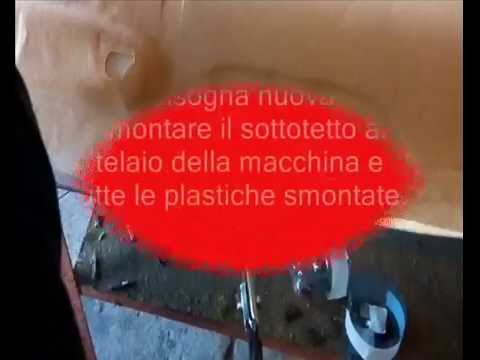
Mini
(2001-2007 /
R53, R52, R50)
Learn how to remove the headlining on a Mini Cooper: start by removing the side handles of the headlining with a screwdriver, then remove the sun vis…
Mini
(2001-2007 /
R53, R52, R50)
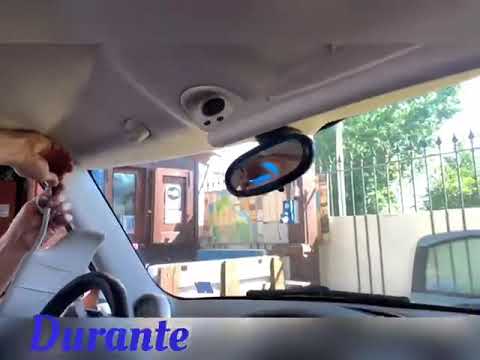
To replace the headlining on a Mini Cooper, remove all components that obstruct the headlining's removal: loosen all screws securing the internal rea…

Mini
(2001-2007 /
R53, R52, R50)
To replace the headlining of the Mini Cooper, first remove all the obstructing pieces that prevent its removal: start by unscrewing the screws that s…
Other guides you may be interested in
|
Frequently Asked QuestionsWhere is the Fuel Filter Located in a Volvo XC60?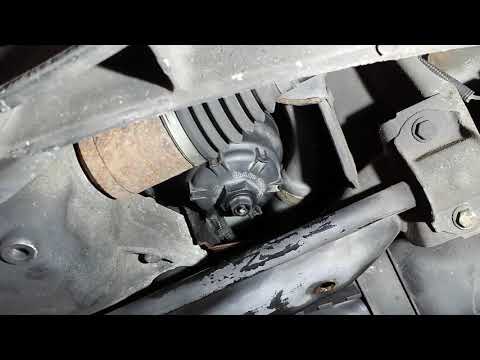
In this video, you will see where the fuel filter is located in a Volvo XC60 and how to proceed if you need to replace it. As shown, the filter is positioned at the lower part of the engine, right between the left half-shaft and the sway bar attachment. To replace the filter, first, go underneath the vehicle, taking all necessary safety precautions. Then, using an 18mm wrench, open the drain valve and allow any water present to escape. Next, unscrew the housing, remove the old filter, insert the replacement along with a new gasket, and reassemble everything. by ScegliAuto More videos
|
|
For advertising on this site Write to info@scegliauto.com
ScegliAuto is not responsible for any inaccuracy of the data in the lists. To report any inaccuracy or your business (if you own the business in question), please write to info@scegliauto.com
Number of seconds to generate the page: 0.149
(c) ScegliAuto 2026 - info@scegliauto.com - Privacy policy VAT number: IT01247470535 |
