
|
Do it yourself
| |||
| ||||


How to Reset the Tyre Warning Light on a Mini Cooper
Model: Mini Mini
R56, R55, R57
- Years 2007-2014
In today's video, learn how to reset the service light on a Mini Cooper. Turn on the ignition, access the settings using the designated button on the left, then proceed to find the corresponding parameter. Once done, wait a few seconds and the operation will be complete. This tutorial also applies to other contemporary models in the range. You can usually find the label indicating the correct tyre pressure on the door frame; alternatively, this information is also available in the user and maintenance manual.
Updated on 15 August 2026 by ScegliAuto
Video tutorial
Related tutorials
Mini
(2001-2007 /
R53, R52, R50)
If the tire pressure warning light on your Mini Cooper R52 continues to stay on constantly on the instrument panel and you want to manually reset it,…

Mini
(2001-2007 /
R53, R52, R50)
To reset the tire pressure warning light on a Mini Cooper, turn on the instrument panel without starting the engine. Using the turn signal lever, acc…
Mini
(2017-2023 /
Countryman2, F60)
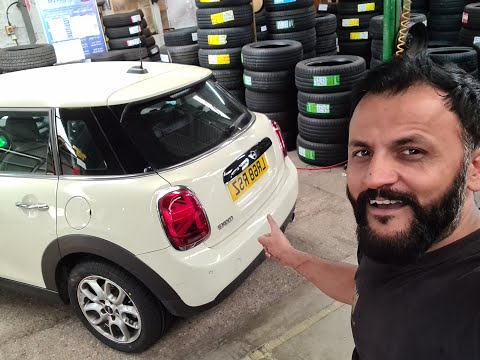
In this brief guide, we will look at the steps to reset the tyre pressure warning light on a Mini Cooper S. Before performing the reset, ensure all f…
Other guides you may be interested in |
How to Reset the Central Locking of the Volkswagen Golf 4?
If the central locking system of the Volkswagen Golf 4 is not working, it is likely necessary to reset the system: to do this, open the driver's door and detach the side panel of the dashboard next to the steering wheel. Under this panel, you will find the fuses, including the one for the central locking, which is indicated in the manual as number 14. To reset the system, remove this fuse from its housing, then reinsert it or replace it with a new one of the same amperage: this will reset the central locking system. by ScegliAuto More videos
|

|
For advertising on this site Write to info@scegliauto.com
ScegliAuto is not responsible for any inaccuracy of the data in the lists. To report any inaccuracy or your business (if you own the business in question), please write to info@scegliauto.com
Number of seconds to generate the page: 0.049
(c) ScegliAuto 2026 - info@scegliauto.com - Privacy policy VAT number: IT01247470535 |
