
|
Do it yourself
| |||
| ||||


How to Reset the Oil Warning Light on a 2021 Mini Countryman
Model: Mini Mini
Countryman2, F60
- Years 2017-2023
Follow the procedure in this guide to manually reset the oil warning light on the instrument cluster of your 2021 Mini Countryman (second generation). First, sit in the driver's seat and turn on the ignition. Then, press the button located inside the speedometer multiple times, and hold it down for a few seconds when you see the screen showing the mileage remaining until the next service. Release the button when "Reset possible" appears, and complete the reset by pressing the same button one last time.
Updated on 16 August 2026 by ScegliAuto
Video tutorial
Related tutorials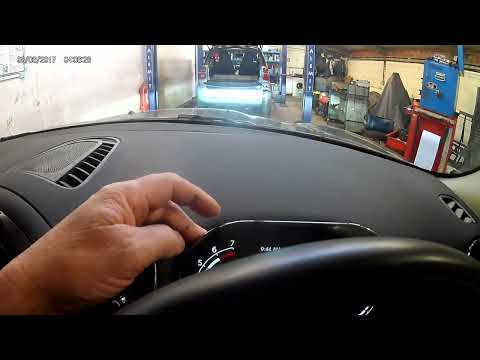
Mini
(2017-2023 /
Countryman2, F60)
This brief guide will show you how to reset the brake pad replacement warning on a Mini Countryman, following the instructions below. First, get insi…

Mini
(2017-2023 /
Countryman2, F60)
In this brief guide, we will go through the steps necessary to reset the oil change service light on a Mini Countryman. First, get into the vehicle a…

Mini
(2010-2016 /
Countryman1, R60)
The activation of the TPMS light indicates a possible puncture or pressure loss from one or more tires; in this guide we will see how to reset the ti…
Other guides you may be interested in
|
Frequently Asked QuestionsHow to Replace the Remote Battery for the Volvo XC40?
In this tutorial, you will see how to replace the battery in the remote for the Volvo XC40, a very simple and quick operation. For this, you will need a replacement battery of type CR2032 and possibly a small flathead screwdriver. First, remove the front cover by pressing the button on the metal ring, then locate the second button, press it as well, and remove the opposite cover. Next, open the circular cap, take out the old battery, and insert the new one in the opposite direction. Finally, reassemble everything. by ScegliAuto More videos
|

|
For advertising on this site Write to info@scegliauto.com
ScegliAuto is not responsible for any inaccuracy of the data in the lists. To report any inaccuracy or your business (if you own the business in question), please write to info@scegliauto.com
Number of seconds to generate the page: 0.080
(c) ScegliAuto 2026 - info@scegliauto.com - Privacy policy VAT number: IT01247470535 |
