
|
Do it yourself
| |||
| ||||


How do you reset the Service light on the Mini Cooper?
Model: Mini Mini
R52, R50, R53
- Years 2001-2007
The procedure to reset the Service light on the Mini Cooper is done by turning on the instrument panel and navigating to the menu by pressing the button located at the end of the lever on the left side of the steering wheel. When the car icon on a bridge appears, you must hold down the button at the end of the lever until a confirmation message appears. The same operation must be performed when the oil icon appears. After both reset operations have been completed, you can turn off the instrument panel and verify that the Service light does not appear the next time it is turned on.
Posted on 20 January 2024 by ScegliAuto
Video tutorial
Related tutorials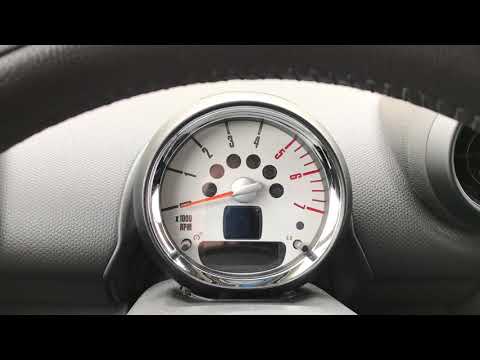
Mini
(2007-2014 /
R56, R57, R55)
In a few simple steps, we will reset the maintenance light for the engine oil change of the Mini Cooper. First, get into the car and turn on the dash…

Mini
(2010-2016 /
Countryman1, R60)
The service light reset on a Mini Cooper F60 model vehicle follows simple and quick steps to be performed independently. To reset the light, we must …

Mini
(2014-2023 /
F57, F56, F55, F54)
Today we will explain how to reset the service light on a Mini Cooper vehicle. To reset the light, we need to turn on the instrument panel and press …
Other guides you may be interested in
|
How to Remove the Stereo from a Hyundai i20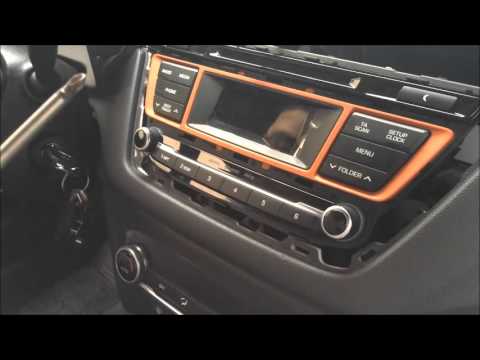
Want to remove the stereo from your Hyundai but don’t know how? In this video, see how to remove the original stereo from your car. First, remove the dashboard cover plastics using a plastic tool, then detach the central frame of the stereo (where the air vents are located) along with the related clips of the control buttons. Once the stereo is free from constraints, unscrew the fastening screws on its sides. Pull the stereo out by hand and disconnect the cables (power and antenna). To reassemble, proceed in reverse. by ScegliAuto More videos
|
|
For advertising on this site Write to info@scegliauto.com
ScegliAuto is not responsible for any inaccuracy of the data in the lists. To report any inaccuracy or your business (if you own the business in question), please write to info@scegliauto.com
Number of seconds to generate the page: 0.053
(c) ScegliAuto 2026 - info@scegliauto.com - Privacy policy VAT number: IT01247470535 |
