
|
Do it yourself
| |||
| ||||


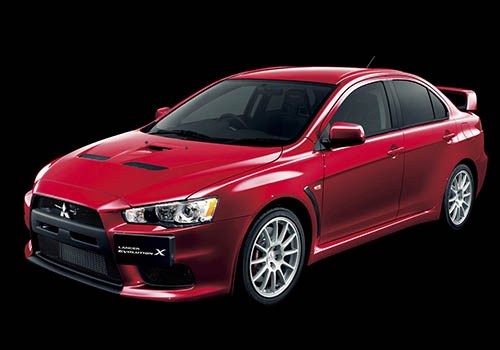
How do you replace the antenna of the Mitsubishi Lancer?
Model: Mitsubishi Lancer
MK 9
- Years:
2007, 2008, 2009, 2010, 2011, 2012, 2013, 2014, 2015, 2016, 2017, 2018
Video tutorial
In order to replace the antenna of the Mitsubishi Lancer by inserting the shark fin antenna, you will need to grab the old antenna and turn it counterclockwise, so that it can be detached from its housing: in this way it will be possible to connect the cable of the new antenna to the socket located in this position. Once the connection of the shark fin antenna is done, you can proceed to place the new antenna on the top of the car, fixing it properly: after installation, you will also need to check that it functions correctly.
Posted on 18 March 2025 by ScegliAuto
Related tutorials
Mitsubishi Lancer
Fitting tuning eyelids on front headlights. …

Mitsubishi Lancer
(2007-2020 /
MK 9)
If you want to access the OBD port of your 2008 Mitsubishi Lancer, simply read this guide and follow the steps described. First, enter the car from t…

Mitsubishi Lancer
(2007-2020 /
MK 9)
To replace the radiator on a Mitsubishi Lancer, open the bonnet to access the components underneath. First, disconnect all air ducts by removing thei…
Other guides you may be interested in
|
How to Reset the Tire Pressure Light on a MG ZS?
On the instrument cluster of the MG ZS, the tire pressure light that appears can be reset by inflating the tires to the correct pressure: this value will be indicated on the sticker attached to the driver's door pillar. Once the tires have been properly inflated, you can turn on the instrument cluster and navigate through the menu until you find the option that indicates tire pressure: if this screen shows the new values, the light will turn off; otherwise, you will need to drive for a few miles so that the sensors can read the new values and turn off the light afterward. by ScegliAuto More videos
|
|
For advertising on this site Write to info@scegliauto.com
ScegliAuto is not responsible for any inaccuracy of the data in the lists. To report any inaccuracy or your business (if you own the business in question), please write to info@scegliauto.com
Number of seconds to generate the page: 0.065
(c) ScegliAuto 2026 - info@scegliauto.com - Privacy policy VAT number: IT01247470535 |
