
|
Do it yourself
| |||
| ||||


How do you open the fuel tank cap on the Mitsubishi Triton L200?
Model: Mitsubishi L 200
MK 3
- Years 2015-2024
The Mitsubishi pickup presented in the video is the L200 Triton model, and this tutorial offers help to those who do not know how to open their fuel tank cap. Over time, it becomes a routine operation, just watch it done once and it's done. The opening command in the cabin activates the opening of the flap, just as shown by the protagonist of our guide, then all you have to do is grab the cap, turn it counterclockwise and remove it. As mentioned before, there is nothing complex in the opening and closing.
Posted on 21 July 2025 by ScegliAuto
Video tutorial
Related tutorials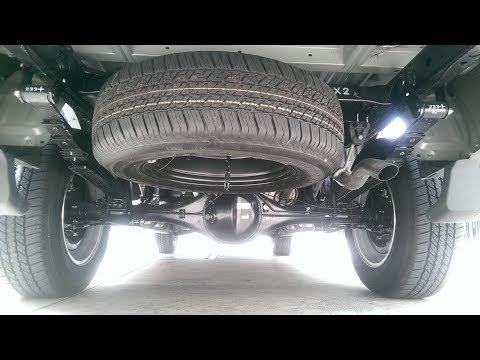
Mitsubishi L 200
(2015-2024 /
MK 3)
In this tutorial, you will learn how to remove and replace the wheel with the spare wheel of the Mitsubishi Triton and L200. First, move to the rear …
Mitsubishi L 200
(2015-2024 /
MK 3)
In this video we can see how to open the fuel tank cap of a Mitsubishi L200; it may seem simple, but it's not as easy as it looks. We are sitting in …

Mitsubishi L 200
(2015-2024 /
MK 3)
In this tutorial, you will see how to open the bonnet on the Mitsubishi L200, a very simple operation that follows the standard procedure. First, ope…
Other guides you may be interested in
|
How to reset the tyre pressure warning light on a Hyundai Tucson
Below are the instructions to reset the tyre pressure warning light (TPMS) on a Hyundai Tucson. First, get into the vehicle and turn on the instrument cluster; then navigate to the vehicle settings until you reach the tyre pressure monitor, identifying the tyre with incorrect pressure. At this point, restore all tyre pressures according to the specifications indicated on the label; this will reset the TPMS and the warning light will be cleared from the instrument cluster! by ScegliAuto More videos
|
|
For advertising on this site Write to info@scegliauto.com
ScegliAuto is not responsible for any inaccuracy of the data in the lists. To report any inaccuracy or your business (if you own the business in question), please write to info@scegliauto.com
Number of seconds to generate the page: 0.097
(c) ScegliAuto 2026 - info@scegliauto.com - Privacy policy VAT number: IT01247470535 |
