
|
Do it yourself
| |||
| ||||


How to Reset the Service Light in a 2011 Mitsubishi ASX?
Model: Mitsubishi Asx
MK 1
- Years 2010-2023
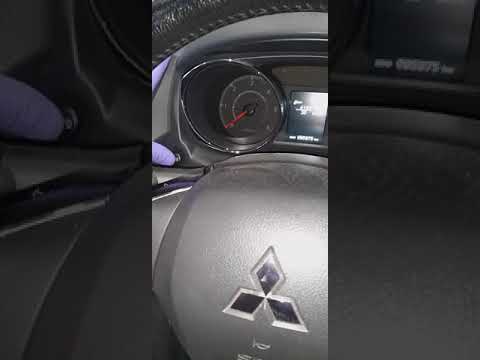
The provided video is very informative and offers valuable assistance to owners of the 2011 Mitsubishi ASX who want to perform a DIY service but do not know how to clear the expiring Service warning. Here’s what to do: with the ignition off, press the Menu button to access the onboard computer, where you will see a spanner icon and the message "Routine Maintenance Required". Now, press and hold the same button until the warning is cleared and the mileage for the next service is programmed. Operation completed.
Posted on 7 June 2026 by ScegliAuto
Video tutorial
Related tutorials
Mitsubishi Asx
(2010-2023 /
MK 1)
Today, I will explain how to reset the service light on a 2012 Mitsubishi ASX. To reset the light, press the Info button located on the left side of …
Mitsubishi Asx
(2010-2023 /
MK 1)
To reset the Service light on a Mitsubishi ASX, turn the ignition key to switch on the instrument cluster. Once the cluster is on, repeatedly press t…

Mitsubishi Asx
(2010-2023 /
MK 1)
The following video tutorial shows the steps to reset the service light on a Mitsubishi ASX vehicle independently. To reset the light, keep the instr…
Other guides you may be interested in
|
How to reset the tyre pressure warning light on a Hyundai Tucson
Below are the instructions to reset the tyre pressure warning light (TPMS) on a Hyundai Tucson. First, get into the vehicle and turn on the instrument cluster; then navigate to the vehicle settings until you reach the tyre pressure monitor, identifying the tyre with incorrect pressure. At this point, restore all tyre pressures according to the specifications indicated on the label; this will reset the TPMS and the warning light will be cleared from the instrument cluster! by ScegliAuto More videos
|
|
For advertising on this site Write to info@scegliauto.com
ScegliAuto is not responsible for any inaccuracy of the data in the lists. To report any inaccuracy or your business (if you own the business in question), please write to info@scegliauto.com
Number of seconds to generate the page: 0.090
(c) ScegliAuto 2026 - info@scegliauto.com - Privacy policy VAT number: IT01247470535 |
