
|
Do it yourself
| |||
| ||||


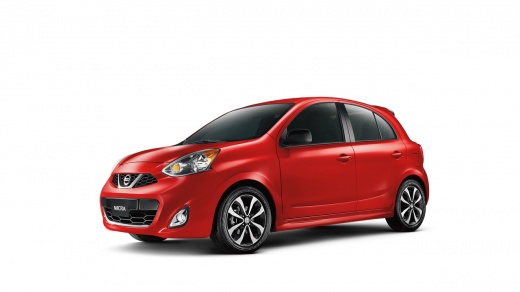
How to Reset the Service Light on a 2013 Nissan Micra
Model: Nissan Micra
K13
- Years:
2010, 2011, 2012, 2013, 2014, 2015, 2016, 2017
Video tutorial
After completing all service operations on a 2013 Nissan Micra, it is necessary to reset the service light; this will allow you to set the mileage for the next service. The steps to follow are: - turn on the ignition; - press the Menu button located on the dashboard next to the steering wheel to access the settings menu; - scroll through the settings menu until you select 'MAINTENANCE'; - select the 'SERVICE' option; - press the RESET option to set the mileage for the next service; To complete the reset, you will need to turn off and then turn on the ignition.
Updated on 23 October 2026 by ScegliAuto
Related tutorials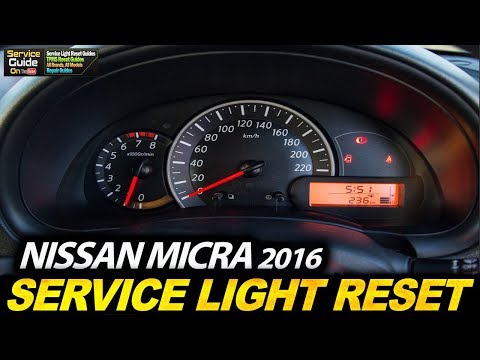
Nissan Micra
(2010-2017 /
K13)
To reset the Service light on the Nissan Micra, turn on the instrument cluster by rotating the key in the ignition switch: once the cluster is on, pr…

Nissan Micra
(2002-2010 /
K12)
It will be possible to completely reset the Service light on the instrument panel of the Nissan Micra by turning on the instrument panel, allowing ac…

Nissan Micra
(2010-2017 /
K13)
It will be possible to reset the Service light on the instrument panel of the Nissan Micra by turning on the instrument panel, turning the appropriat…
Other guides you may be interested in
|
Where to Find and How to Remove the Spare Wheel of a Peugeot 5008?
The spare wheel of a Peugeot 5008 is located under the rear of the vehicle. To remove it, you need to lift the third row of seats to access the fixing bolt that holds the spare wheel in position. Using the correct spanner, proceed to unscrew the fixing bolt until the wheel is no longer secured. At this point, you can extract the spare wheel from underneath the vehicle. Once you have completed this step, you are free to fit the spare wheel. Ensure you correctly remount the spare wheel and securely tighten the fixing bolt when you are finished. by ScegliAuto More videos
|
For advertising on this site Write to info@scegliauto.com
ScegliAuto is not responsible for any inaccuracy of the data in the lists. To report any inaccuracy or your business (if you own the business in question), please write to info@scegliauto.com
Number of seconds to generate the page: 0.033
(c) ScegliAuto 2026 - info@scegliauto.com - Privacy policy VAT number: IT01247470535 |
