
|
Do it yourself
| |||
| ||||


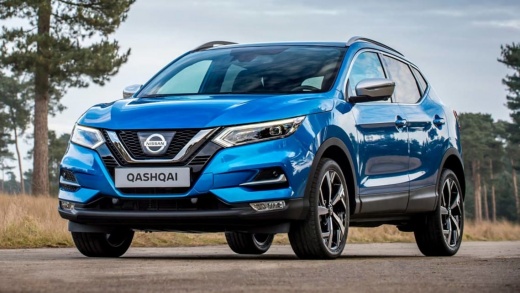
How to connect to the bluetooth of a Nissan Qashqai J11
Model: Nissan Qashqai
J11
- Years:
2014, 2015, 2016, 2017, 2018, 2019, 2020, 2021, 2022
This video is currently unavailable
Let's see how to connect to the bluetooth of a Nissan Qashqai J11: turn on the instrument panel and press the "setup" button on the screen. Go to the "phone" section and select "pair new device". In the meantime, on our phone, open the settings and activate bluetooth, search for "new devices" and select "NissanQashqai", accepting the pairing request, confirming the PIN code that is proposed to us; also allow the synchronization of the contacts in the address book, so that we can make hands-free calls. We can then use the steering wheel buttons to answer calls, make calls and select music tracks. The system supports up to 6 devices.
Posted on 4 October 2025 by ScegliAuto
Related tutorials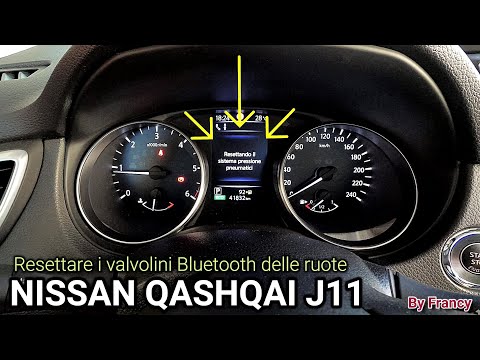
Nissan Qashqai
(2014-2022 /
J11)
In this video tutorial, you will see how to reset the Bluetooth tyre sensors on the Nissan Qashqai by following a few simple steps. After restoring t…

Nissan Qashqai
(2006-2014 /
J10)
In this video tutorial, see how to connect your mobile phone via Bluetooth to the radio in your Nissan Qashqai. The procedure is very simple and quic…

Nissan Qashqai
(2014-2022 /
J11)
Below, discover where the OBD port of your Nissan Qashqai J11 (2014-2022) is located. This port allows you to connect any compatible diagnostic tool …
Other guides you may be interested in
|
How to Reset the Tire Pressure Light on a MG ZS?
On the instrument cluster of the MG ZS, the tire pressure light that appears can be reset by inflating the tires to the correct pressure: this value will be indicated on the sticker attached to the driver's door pillar. Once the tires have been properly inflated, you can turn on the instrument cluster and navigate through the menu until you find the option that indicates tire pressure: if this screen shows the new values, the light will turn off; otherwise, you will need to drive for a few miles so that the sensors can read the new values and turn off the light afterward. by ScegliAuto More videos
|
|
For advertising on this site Write to info@scegliauto.com
ScegliAuto is not responsible for any inaccuracy of the data in the lists. To report any inaccuracy or your business (if you own the business in question), please write to info@scegliauto.com
Number of seconds to generate the page: 0.022
(c) ScegliAuto 2026 - info@scegliauto.com - Privacy policy VAT number: IT01247470535 |
