
|
Do it yourself
| |||
| ||||


How to Replace the Rear Light Bulb on a Nissan Micra III
Model: Nissan Micra
K13
- Years 2010-2017
To replace a rear light bulb on a Nissan Micra III, open the tailgate to access the lights, and you will find two bolts securing the light to the bodywork. Remove them with a screwdriver or suitable spanner. Carefully lever the light out by gently prying on the sides to detach the optical unit from its housing. At the back of the light, locate the connector and unplug it to disconnect the power. At the back of the light, find the clips securing the bulb holder, remove the old bulb from the holder, and insert the new one, taking care not to touch the bulb with your hands as skin oils can damage it. Reassemble and check the operation.
Posted on 25 February 2026 by ScegliAuto
Video tutorial
Related tutorials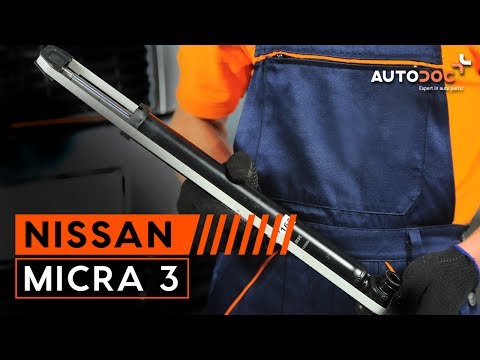
Nissan Micra
(2002-2010 /
K12)
Before starting, open the rear hatch of the boot of your Nissan Micra. Begin by unscrewing and removing the two fixing bolts of the rear light. Next,…

Nissan Micra
(2010-2017 /
K13)
In this video we will see how to replace the rear bulb of a Nissan Micra III: we will have to open the rear hood and then unscrew the two screws that…
Nissan Micra
(2002-2010 /
K12)
Before you can start, open the boot of your Nissan Micra. First, remove the two bolts securing the rear headlamp to the car. Next, extract the headla…
Other guides you may be interested in
|
Fuses Location and Diagram for the Volkswagen Crafter
In this guide, we will look at the location of the fuse boxes and how to find their diagram for the Volkswagen Crafter. First, get inside the vehicle and start by removing the plastic cover found under the steering wheel, to access the internal fuse box; you will find another fuse box in the engine compartment by removing the plastic cover located next to the battery. At this point, use the owner's manual to find the fuse diagram, which will allow you to identify and replace any blown fuses with new ones! by ScegliAuto More videos
|
|
For advertising on this site Write to info@scegliauto.com
ScegliAuto is not responsible for any inaccuracy of the data in the lists. To report any inaccuracy or your business (if you own the business in question), please write to info@scegliauto.com
Number of seconds to generate the page: 0.074
(c) ScegliAuto 2026 - info@scegliauto.com - Privacy policy VAT number: IT01247470535 |
