
|
Do it yourself
| |||
| ||||


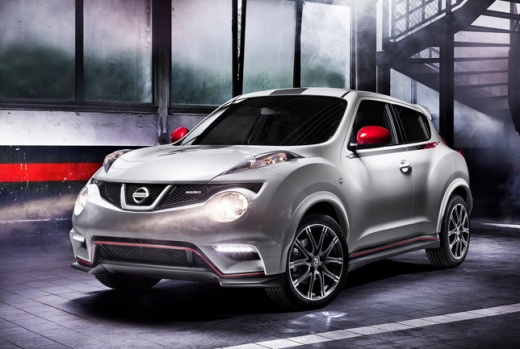
How to change the battery in the remote for a Nissan Juke
Model: Nissan Juke
- Years:
2010, 2011, 2012, 2013, 2014, 2015, 2016, 2017, 2018, 2019
Video tutorial
How to replace the battery in the remote for a Nissan Juke when it runs out? This article explains the process. You will need a CR1620 battery, a small flat screwdriver, and a cross screwdriver. First, remove the cross screw located above the Nissan logo; after removing the screw, open the remote by inserting the screwdriver into the designated slot at the top of the key, then pry it open carefully along the edge, taking care not to drop the remote circuit. Once the remote is open, remove the old battery and replace it, then close the remote and reinsert the fixing screw, tightening it with the appropriate screwdriver. The operation is now complete.
Posted on 19 October 2026 by ScegliAuto
Related tutorials
Nissan Juke
(2010-2019 /
MK 1)
To replace the battery in a remote control for a Nissan Juke, we need to slide the button located on the back of the remote and remove the top part c…

Nissan Juke
(2010-2019 /
MK 1)
Replacing the battery of the remote control for the Nissan Juke car is a simple and quick operation to be carried out independently. To replace it, w…
Nissan Juke
(2010-2019 /
MK 1)
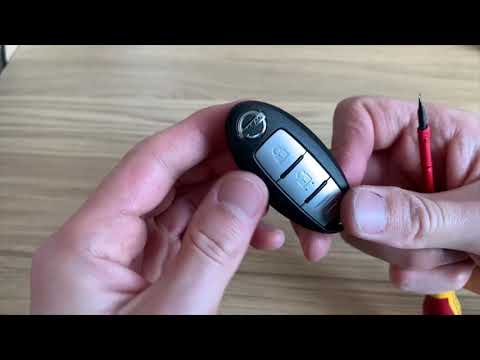
This guide shows how to replace the remote battery in a Nissan Juke. To perform this operation, you need a small flathead screwdriver. After extracti…
Other guides you may be interested in
|
How to Reset the Tyre Warning Light on the Suzuki Swift
If the orange tyre warning light on the instrument cluster of your latest Suzuki Swift remains illuminated despite no loss of pressure, don't worry because you can easily reset it by following this procedure. First, get into the driver's seat and start the ignition, then press and hold the button located below the speedometer and release it as soon as the menu screen appears on the display. At this point, select "TPMS" and then press "TPMS Mode". Finally, select the "Load Mode" option and proceed with the manual reset of the warning light. by ScegliAuto More videos
|
|
For advertising on this site Write to info@scegliauto.com
ScegliAuto is not responsible for any inaccuracy of the data in the lists. To report any inaccuracy or your business (if you own the business in question), please write to info@scegliauto.com
Number of seconds to generate the page: 0.101
(c) ScegliAuto 2026 - info@scegliauto.com - Privacy policy VAT number: IT01247470535 |
